
Maintaining Style Consistency in AI Animation
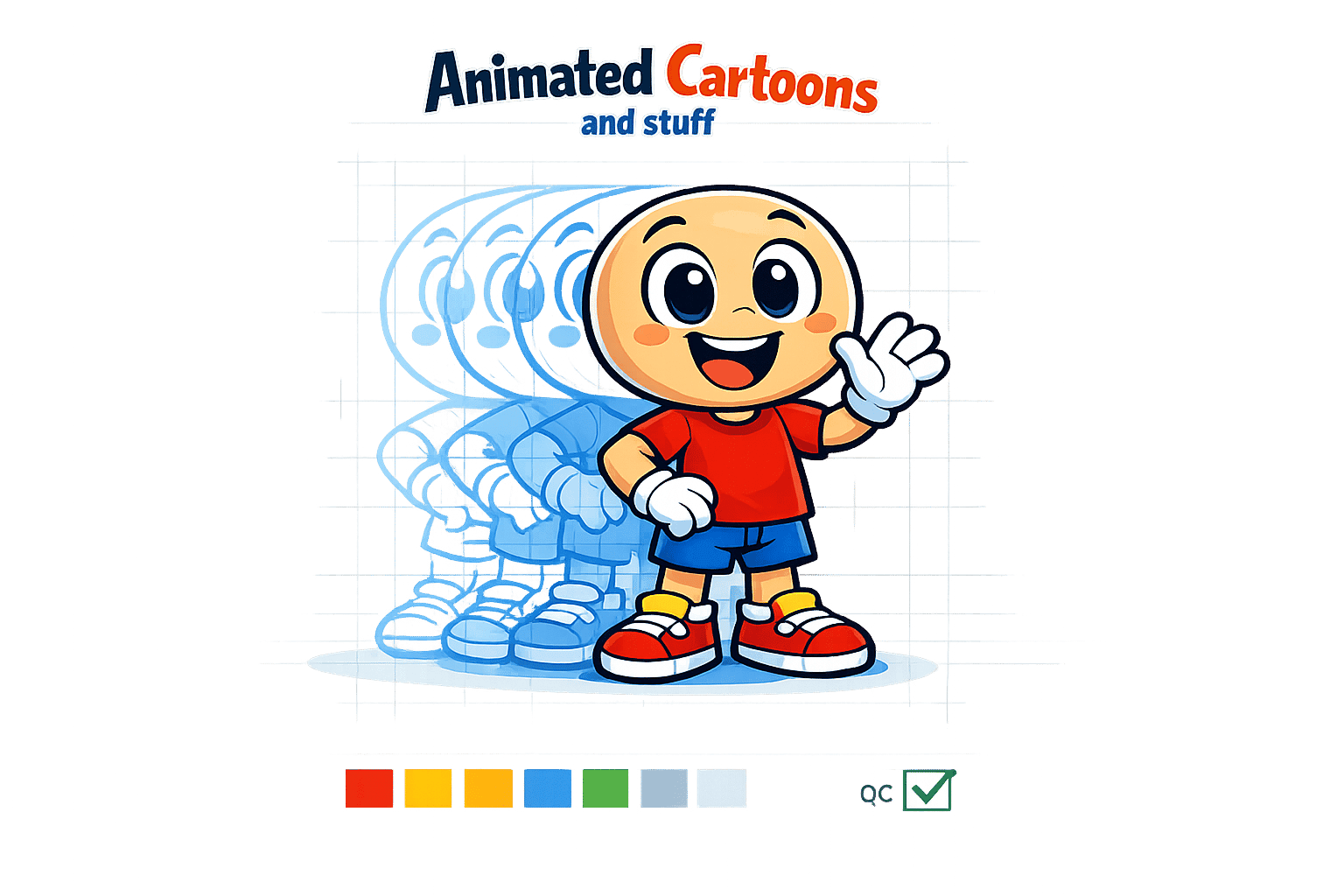
Style consistency is key to creating engaging AI animations. Without it, characters can appear inconsistent, breaking immersion and distracting viewers. This article dives into techniques to ensure your AI animations maintain a stable visual style across frames and scenes. Here's what you need to know:
- Why it matters: Consistent visuals improve audience recognition (76% vs. 31% for inconsistent styles) and streamline production workflows.
- Challenges: AI struggles with identity drift, style creep, and maintaining character memory across scenes.
- Solutions:
- Use reference-image conditioning with diverse, high-quality images.
- Fine-tune AI models using tools like LoRA and DreamBooth.
- Leverage platform-specific features like LongStories.ai's "Universe" system for reusable templates.
- Production tips: Define a style framework upfront, use fixed seeds to lock variables, and apply quality control to prevent style drift.
Platforms like LongStories.ai, Runway Gen-4, and Pika 2.5 offer unique tools for maintaining consistency, whether you're creating serialized content or short clips.
Quick Takeaway: Build a strong visual foundation with reference images and fine-tuning, then use AI tools to automate and scale consistent animations. This approach saves time and keeps your audience focused on the story, not visual inconsistencies.
Core Techniques for Maintaining Style Consistency
Reference-Image Conditioning
Reference images serve as a visual foundation for maintaining a character's identity in AI-generated visuals. Instead of starting from scratch every time, gather a set of 6–10 high-resolution images that showcase your character from various angles - front, three-quarter, and profile views. This helps the AI consistently recreate the character’s features and overall look. For best results, begin with a neutral expression as your primary reference. Extreme expressions, like wide-open mouths or exaggerated smiles, can make it harder for the model to accurately track facial features. Complement the neutral reference with a few controlled secondary expressions to provide additional context.
"Reference frames anchor identity. Think of them as a visual contract with the model: 'This is the person, keep them.'" - CrePal.ai
Adding technical details to your prompts, such as lighting descriptions like "cool 4300K" or "side-lit", can help avoid inconsistencies in skin tones or hair colors. Similarly, opting for simple wardrobe choices - solid colors and clean silhouettes - minimizes unintended visual changes. Start by generating a close-up "hero" shot to establish the character's identity, then ensure that wider shots align with this initial reference.
Once the reference framework is in place, fine-tuning the AI model can take consistency to the next level.
Fine-Tuning AI Models with LoRA and DreamBooth
Techniques like LoRA (Low-Rank Adaptation) and DreamBooth allow the AI to "memorize" the key features of your character, ensuring consistent reproduction of their style. To train a baseline model, you’ll typically need 8–10 reference images that cover a range of perspectives - close-ups for facial details, medium shots for costumes, and full-body images for proportions. Incorporating diverse lighting setups and color schemes into your dataset further strengthens the model’s adaptability.
Once trained, using higher LoRA strength settings during generation helps maintain fidelity to the original style.
"You'll find that once the model has been sufficiently trained, producing a stylistically consistent character will get faster and faster!" - Leonardo.Ai
After generating initial outputs, refine your training dataset by selecting the best results and iteratively improving the model’s coherence. Even with fine-tuning, detailed prompts remain a critical part of achieving your desired outcomes.
For even greater efficiency, some platforms offer built-in tools to streamline this process.
Using Platform-Specific Features
Platforms like LongStories.ai simplify style consistency by introducing reusable "Universe" systems. With this feature, you can define your characters, visual styles, and voices just once, and then use simple prompts to generate unlimited consistent videos. Setting up a Universe is straightforward and ensures that your characters maintain their look across multiple projects.
"Your characters look different every time because you're starting from scratch... Universes solve this." - LongStories.ai
LongStories.ai provides three animation quality tiers to suit different needs. Storyboard mode is ideal for testing narrative flow, while Fast Animation generates approximately 4–5 minutes of content per 1,000 credits. For polished, professional results, Pro Animation delivers about 1–2 minutes of high-quality content per 1,000 credits. The platform also supports bulk downloads for scenes, images, and audio files, making it easy to integrate outputs into post-production workflows using tools like Premiere Pro or CapCut.
The results speak for themselves: LongStories.ai has been used to create over 9,000 videos by more than 2,500 creators, reaching a combined audience of 30 million subscribers. Some users report dramatic improvements in production speed, with one movie studio increasing its output from one episode per week to one episode per day. By combining reference-image conditioning, fine-tuning techniques, and platform-specific tools, creators can achieve consistent style fidelity across all their projects.
Building a Workflow for Consistent AI Animation Styles
Pre-Production: Define Your Style Framework
To achieve consistent AI-generated animation, start by creating a detailed style framework. This step is crucial for setting clear visual guidelines before any animation work begins. Develop model sheets that include character turnarounds (front, three-quarter, and profile views), facial expression charts, and notes on proportions. Think of this as your "visual contract" that ensures everyone is working with the same blueprint.
Gather a set of 10–20 reference photos showcasing your characters from different angles, with varied lighting and expressions. Pay attention to defining key facial features, like jawlines and eye shapes, as well as elements like hair texture and signature accessories or colors - what some refer to as a character's "outfit canon". This combined information creates what’s often called "Character DNA", a fixed set of traits that helps maintain visual consistency across scenes.
"Character consistency is the craft of making sure your audience always recognizes the same character - even as lighting, angle, pose, costume, or medium changes." - andywang, Author, Skywork AI
If you're using tools like LongStories.ai, you can take this a step further by building a "Universe." This system locks in your characters, visual style (aesthetic, colors, and lighting), voice and tone, and world settings. Once set up, this reusable template allows you to generate consistent videos from simple prompts. Depending on your production needs, you can choose between static storyboards for planning, Fast Animation for efficient content creation (around 4–5 minutes per 1,000 credits), or Pro Animation for polished, high-quality results (1–2 minutes per 1,000 credits).
With your framework solidified, you’re ready to move into automated production.
Production: Integrate and Automate with AI Tools
Switching to automated generation is the next step. Traditional AI tools often require you to repeatedly describe characters and styles, which can lead to inconsistent results. Platforms with Universe systems eliminate this issue by allowing you to build a framework once and use it for unlimited video generation.
"Build your Universe once with your characters, style, and voice. Then generate unlimited consistent videos from simple prompts." - LongStories.ai
For greater technical control, use fixed seeds or session IDs to maintain consistent noise patterns during generation. If you’re working with tools like Midjourney, you can separate character identity and style using commands like --cref (character reference) and --sref (style reference). This ensures that the overall aesthetic doesn’t overshadow the unique features of your characters. Similarly, in Stable Diffusion, using an OpenPose ControlNet unit (with weights between 0.6 and 0.9) can help keep character poses stable across scenes.
To avoid unwanted changes, use negative prompts (e.g., "no glasses") to guide the AI and maintain fidelity. For creators handling a high volume of content, API access can streamline workflows by automating character and style settings. These techniques work hand-in-hand with earlier style framework methods, ensuring consistency from start to finish.
Post-Production: Quality Control and Refinement
Once the automated generation is complete, focus on quality control to ensure everything aligns with your original style framework. Schedule reviews at keyframes to identify and correct any visual drift early. Use tools like digital draw-overs or proportion grids to fix frames where characters deviate from their intended design. This step is especially important for addressing issues like "flicker" or "shimmering", where details like facial features or costumes may shift between frames.
Create a verification loop after each render. Compare the output to the defined Character DNA, and if key traits like hairline or outfit details drift, adjust the reference weight or re-link the reference image. For problems with temporal consistency, techniques like optical-flow-guided propagation or autoregressive conditioning can help stabilize identity across frames.
Many AI platforms now support bulk asset downloads, making it easy to transfer consistent scenes into editing programs like Premiere Pro or CapCut for final tweaks. This hybrid approach combines the speed of AI with the precision of manual editing, giving you the best of both worlds. To keep the team aligned, maintain a centralized, version-controlled style guide that everyone can reference during the review process.
Troubleshooting Style Drift Issues
How to Identify Style Drift
Style drift happens when AI-generated characters show unexpected changes - like shifts in facial features, colors, or details - across different scenes, even when using the same prompts. This often stems from how AI systems optimize for individual shots and their sensitivity to factors like lighting, camera angles, or backgrounds. You might notice differences in jawlines, eye colors, or even signature outfit elements.
Another common sign is wardrobe hallucinations, where intricate patterns, logos, or reflective textures either change or vanish between frames. Flickering is another telltale issue, where subtle changes in facial features occur frame by frame.
To catch these problems early, overlay your generated frames with a master model sheet or Character DNA template. This helps you spot shifts in facial geometry, proportions, or key accessories before they escalate over multiple scenes. Tools like LongStories.ai’s Universe system can automatically maintain these traits, but manual spot-checking of keyframes is still a good practice, especially for longer projects.
If you detect any drift, you’ll need to take specific steps to bring things back in line.
Solutions for Fixing Style Drift
Once you’ve identified style drift, the next step is to apply targeted fixes. Start by locking in technical variables. Use fixed seeds and precise prompts (e.g., "cool 4300K") to maintain consistency. Keep your subject at a consistent scale across shots - extreme zooms can obscure important details.
For persistent identity issues, negative prompts (e.g., "no glasses") can help block unwanted variations. If you’re working in Midjourney, tweak the Character Weight (--cw) parameter. For example, a setting of 100 closely replicates facial features, hair, and clothing, while a setting of 0 focuses primarily on the face. In Stable Diffusion, tools like IP-Adapter or ControlNet, with weights set between 0.6 and 0.9, can anchor both identity and pose effectively.
To isolate the cause of drift, hold your identity module (like LoRA or an IP-Adapter) constant while varying only the pose using ControlNet. Compare the results to your master model sheet to ensure alignment with your original Character DNA. Adjust one variable at a time to pinpoint the source of the problem. For persistent facial inconsistencies, you can use face-swapping technology in post-production to replace problematic frames with corrected ones.
sbb-itb-94859ad
Finally! The Secret to CONSISTENT AI Characters (Veo 3 & Nano Banana)
Comparing AI Tools for Style Consistency
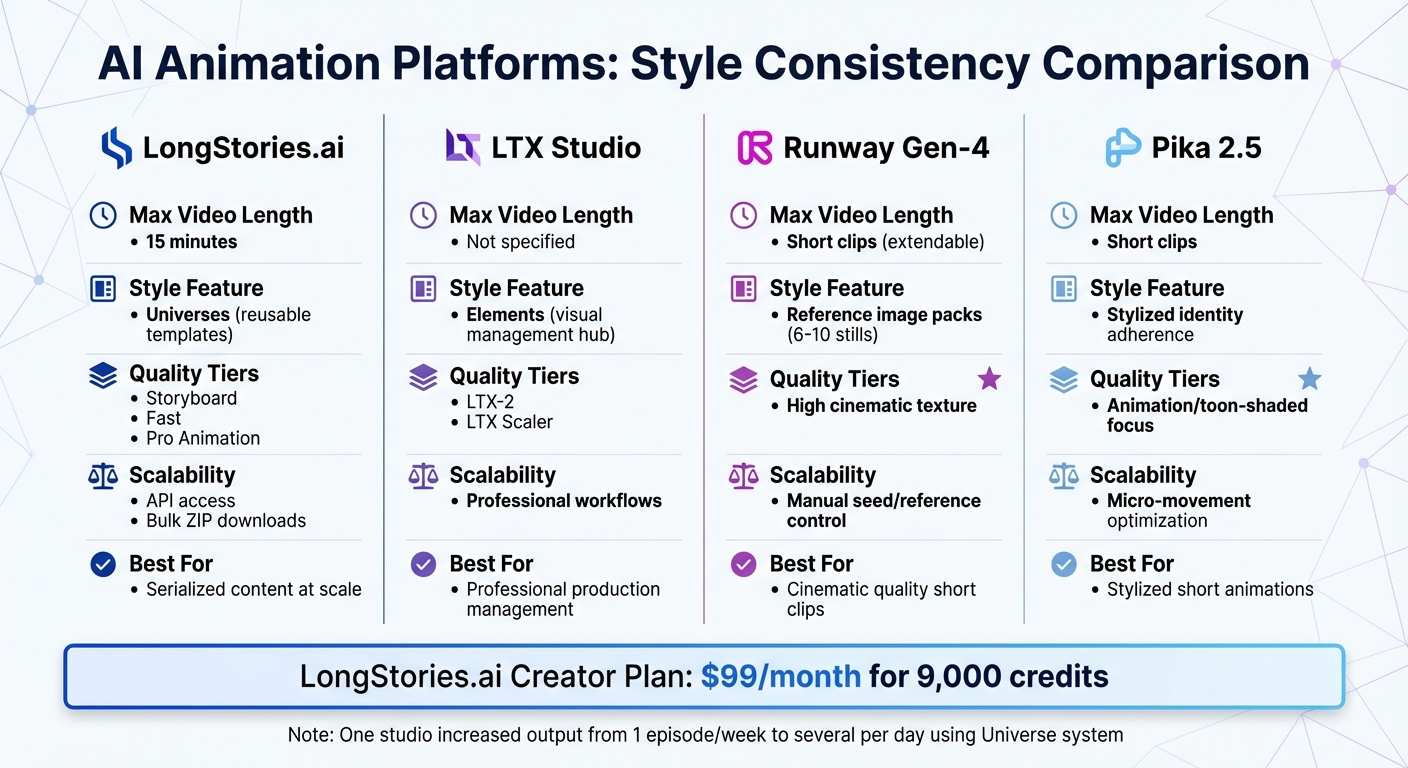
AI Animation Platform Comparison for Style Consistency
When deciding on an AI animation platform, your choice will largely depend on whether you're producing serialized content or experimenting with standalone projects. LongStories.ai shines for creators aiming to generate consistent long-form videos at scale. Its "Universe" system allows you to set up characters, visual styles, and voices just once, enabling the creation of unlimited videos without repetitive prompting. A film studio using this platform reported a dramatic increase in output, going from one episode per week to several per day.
LTX Studio offers an "Elements" hub to manage visuals across scenes and includes features like AI storyboarding and trailer creation. Meanwhile, Runway Gen-4 delivers cinematic textures and smooth motion but requires manually curated reference packs of 6–10 images. Pika 2.5, on the other hand, is ideal for short clips with stylized, toon-shaded outputs, excelling in dynamic micro-movements.
For serialized YouTube creators, LongStories.ai supports videos up to 15 minutes long, hitting the sweet spot of 8–10 minutes - perfect for YouTube ads. Setting up a Universe takes about 10–15 minutes, and once ready, it can produce consistent videos in as little as 30 seconds. The platform also provides three quality options: Just Storyboard for testing concepts, Fast Animation for balanced motion, and Pro Animation for high-quality publishing.
Comparison Table: AI Animation Platforms
Here's a quick look at how these platforms compare:
| Platform | Max Video Length | Style Persistence Feature | Quality Tiers | Production Scalability |
|---|---|---|---|---|
| LongStories.ai | 15 minutes | "Universes" (reusable templates) | Storyboard, Fast, Pro Animation | API access, bulk ZIP downloads |
| LTX Studio | Not specified | "Elements" (visual management hub) | LTX-2, LTX Scaler | Professional workflows |
| Runway Gen-4 | Short clips (extendable) | Reference image packs (6–10 stills) | High cinematic texture | Manual seed/reference control |
| Pika 2.5 | Short clips | Stylized identity adherence | Animation/toon-shaded focus | Micro-movement optimization |
For high-volume production, scalability is key. LongStories.ai offers API access on its Creator plan ($99/month for 9,000 credits), bulk asset downloads on Pro and Creator plans, and upcoming bulk editing tools for modifying character appearances across 15-minute videos. By contrast, Runway Gen-4 demands more manual intervention to maintain style consistency, and Pika 2.5 is better suited for short, stylized animations rather than serialized storytelling.
Conclusion
Keeping a consistent style is crucial for keeping viewers engaged. When a character’s identity shifts throughout a video, viewers end up focusing on figuring out who’s on screen rather than following the story. This disrupts immersion and weakens the emotional impact you’ve worked hard to create. The good news? You don’t need to re-prompt every frame or bring in an entire animation team to fix this.
The key to scalable, visually consistent storytelling lies in switching from repetitive prompting to templated workflows. By building your Universe once - complete with consistent reference angles and lighting - you can generate countless videos without starting over each time. One studio that adopted this method increased production from one episode per week to several per day. This approach transforms production bottlenecks into streamlined workflows.
Technically, achieving this level of consistency depends on integrating the right AI tools. Use LoRA for preserving character identity, ControlNet for maintaining pose accuracy, and IP-Adapter for reference-based conditioning. Fine-tune lighting, color palettes, and facial expressions to avoid unwanted style shifts. Start by perfecting close-up details, then align wider shots to match.
When choosing tools, consider your production scale. Whether you're creating serialized content or standalone projects, there are platforms designed to simplify the process. For example, LongStories.ai supports consistent video generation using reusable Universes. If you’re experimenting with short-form content, Runway Gen-4 offers cinematic textures, while Pika 2.5 specializes in stylized outputs. Select the tool that fits your goals, establish your style framework early, and let consistency do the heavy lifting for you.
FAQs
How can I ensure consistent animation styles with AI tools?
To keep your animation style consistent, consider building a reusable Universe that includes predefined characters, styles, and voices. This setup removes the hassle of re-prompting for every scene and keeps your content visually and thematically uniform.
You can also use techniques like identity anchoring and temporal linking, paired with reference images and detailed prompts, to maintain a cohesive look. These methods work particularly well for serialized content, helping you streamline production while staying true to your brand's identity.
How do reference images help keep animation styles consistent?
Reference images serve as essential visual guides for AI tools, ensuring that characters and styles stay consistent throughout your animation. By offering a clear and fixed example, these images help the AI replicate details like facial features, colors, and proportions across various scenes.
This approach not only saves time but also minimizes the need for manual tweaks. It allows creators to maintain a unified look in serialized content while dedicating more energy to crafting their story.
What are the best AI tools for maintaining consistent character styles in animations?
The best AI tools for ensuring consistent character styles are those that provide reusable assets, identity anchoring, and features designed to maintain visual and stylistic uniformity across projects. LongStories.ai stands out by allowing creators to develop persistent "Universes" where characters, styles, and voices remain consistent. This tool is particularly useful for serialized content, as it removes traditional hurdles like animation and editing, making it a great choice for preserving brand identity.
Another helpful tool is ElevenLabs, which ensures voice consistency, making it a valuable addition to animation workflows. By using tools that streamline these tasks, creators can focus more on storytelling while producing cohesive, high-quality content with greater efficiency.
Related posts
LongStories is constantly evolving as it finds its product-market fit. Features, pricing, and offerings are continuously being refined and updated. The information in this blog post reflects our understanding at the time of writing. Please always check LongStories.ai for the latest information about our products, features, and pricing, or contact us directly for the most current details.