
How to Use AI for Video Storyboarding: Tools & Techniques

An AI video storyboard turns one of the slowest parts of pre-production — planning every shot before you shoot or animate — into something you can generate in minutes.
Instead of sketching panels by hand or hiring a storyboard artist, you describe your scenes and the AI produces illustrated frames you can refine, reorder, and hand off to whoever's building the final video.
This guide covers both halves of the job: the tools worth using to build an AI video storyboard, and the techniques that separate a clear, usable board from a pile of generic images. We'll go from script to finished storyboard — and show how to turn that board straight into an animatic or video.
Throughout, we'll reference LongStories.ai's AI animation generator, which includes a dedicated storyboard mode, but the techniques apply to whatever tool you choose.
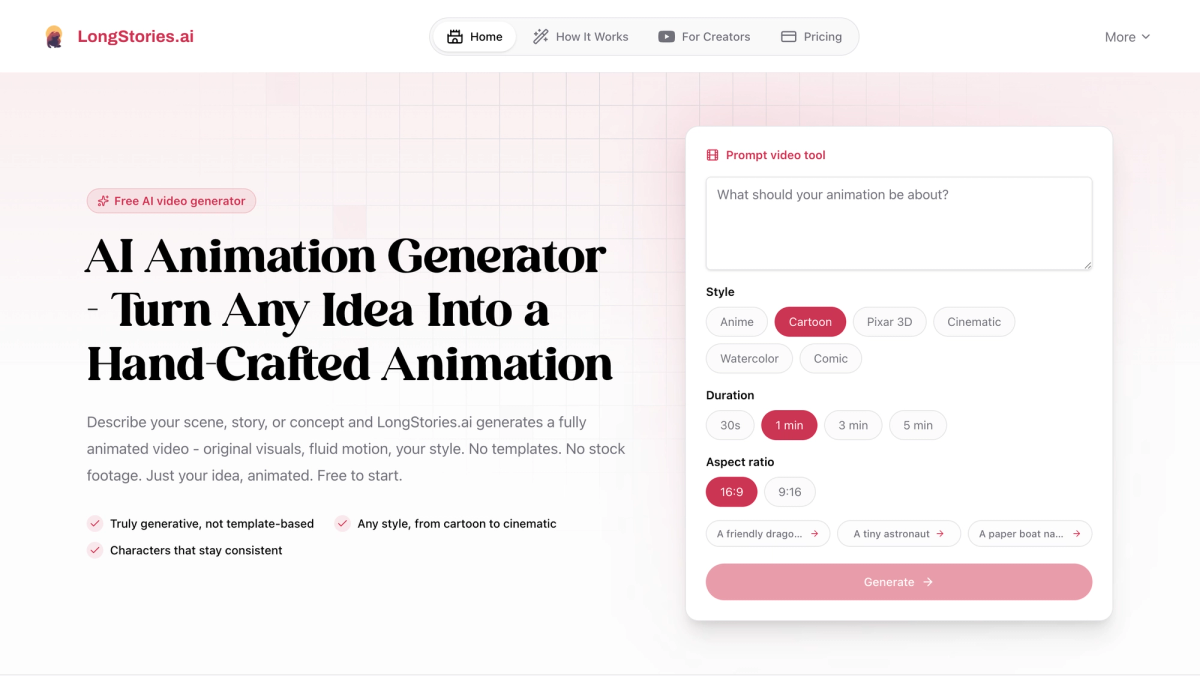
What Is an AI Video Storyboard?
A storyboard is a shot-by-shot visual plan for a video — a sequence of frames showing what each scene looks like, how it's framed, and how the story flows from one beat to the next. It's standard practice in film and animation because it's far cheaper to fix a problem on a storyboard than after you've shot or rendered the footage.
An AI video storyboard is the same thing, generated with AI instead of drawn by hand. You give a tool your script or a description of each scene, and it produces illustrated panels — often with consistent characters, camera directions, and a defined visual style. The payoff is speed and iteration: you can test pacing and composition in minutes, try three different openings before lunch, and only commit to expensive production once the plan actually works. If you're planning a larger project, our roundup of the best AI filmmaking tools covers where storyboarding fits in a full pipeline.
The Best AI Video Storyboard Tools
A handful of tools dominate this space, each tuned for a slightly different job.
LongStories.ai — Best for storyboards that become finished animation. LongStories includes a "Just Storyboard" mode that generates static illustrated panels for each scene in your story. What sets it apart is continuity: you define characters once as saved profiles, and the same designs carry across every panel — then, when the board is approved, you regenerate the exact same sequence as Fast or Pro animation without starting over. It's the most direct path from storyboard to finished video. The free plan (200 credits, one short video) is enough to test the storyboard flow end to end.
LTX Studio — Best for script-to-storyboard filmmaking. LTX Studio converts written scripts into detailed visual storyboards, with character consistency, camera controls, and team collaboration so multiple people can work on different scenes at once. Pricing runs from roughly $15 to $125 per month based on "computing seconds" (render time), with about 20% off on annual billing. It's a strong fit for filmmakers and marketers who think in scripts and shots.
Katalist AI — Best for script-driven boards with consistent characters. Katalist analyzes a script to identify characters, scenes, and beats, then breaks it into visual panels with characters, backgrounds, and props that stay consistent across the whole board. It can also turn finished storyboards into produced videos with voiceover and music. Plans are Essential ($29/mo), Pro ($59/mo), and Unlimited ($139/mo, with lip-sync and real-time collaboration), all with a 7-day trial.
Boords — Best for traditional shot-by-shot boards and client review. Boords is a classic storyboarding app that added AI image generation. It leans into the conventional workflow — frame-by-frame panels, shot lists, camera notes, and shareable boards for client and team feedback — making it a good fit for agencies and teams who need approvals more than they need text-to-video.
Higgsfield Popcorn — Best for consistent scenes from prompts and references. Popcorn builds visually consistent scenes from text prompts plus reference images, giving you tight control over recurring characters, objects, and environments. It can export a finished board straight to a video model for generation, which makes it handy if you want maximum control over look before animating.
How to Create an AI Video Storyboard, Step by Step
The tool matters less than the process. Here's the workflow that produces a board you can actually use.
Step 1: Start With a Script or a Clear Concept
Good storyboards come from clear stories. Before generating anything, write either a short script or a tight paragraph describing what happens, scene by scene. You don't need full screenplay formatting — you need to know the beats. If you already have a script, most tools (including LongStories' script-to-video generator) let you paste it in directly and parse it into scenes automatically.
Step 2: Break the Story Into Shots
A storyboard is a sequence of individual shots, so split your story accordingly. A simple rule: one clear action or moment per panel. "Maya walks into the empty workshop" is one shot; "Maya walks in, notices the broken robot, and kneels beside it" is three. Thinking in discrete shots now is what makes the generated board readable later, and it tells the tool how many frames to produce.
Step 3: Generate Your First Pass of Frames
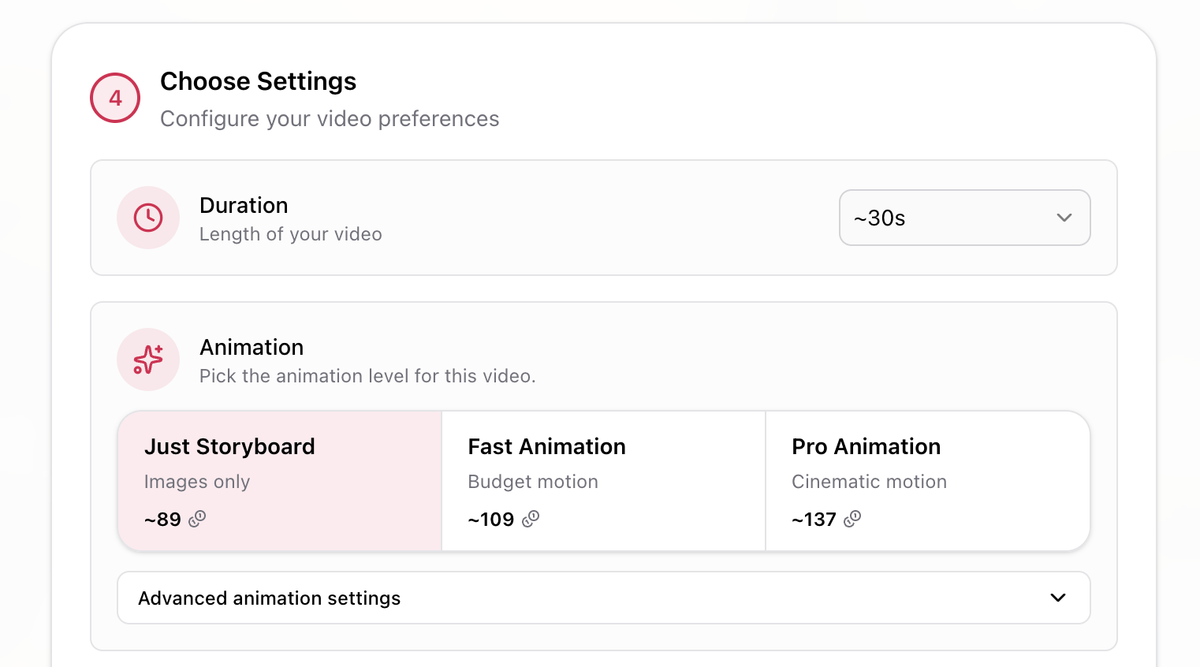
In LongStories, choose Just Storyboard as your animation level and generate. This produces static illustrated panels — the cheapest, fastest output — so you can review composition and pacing before spending credits on full animation. Treat this as a rough draft: you're checking whether the story reads, not perfecting every frame. If a beat is missing or a shot lands wrong, adjust the prompt and regenerate in seconds.
Step 4: Lock Character and Style Consistency
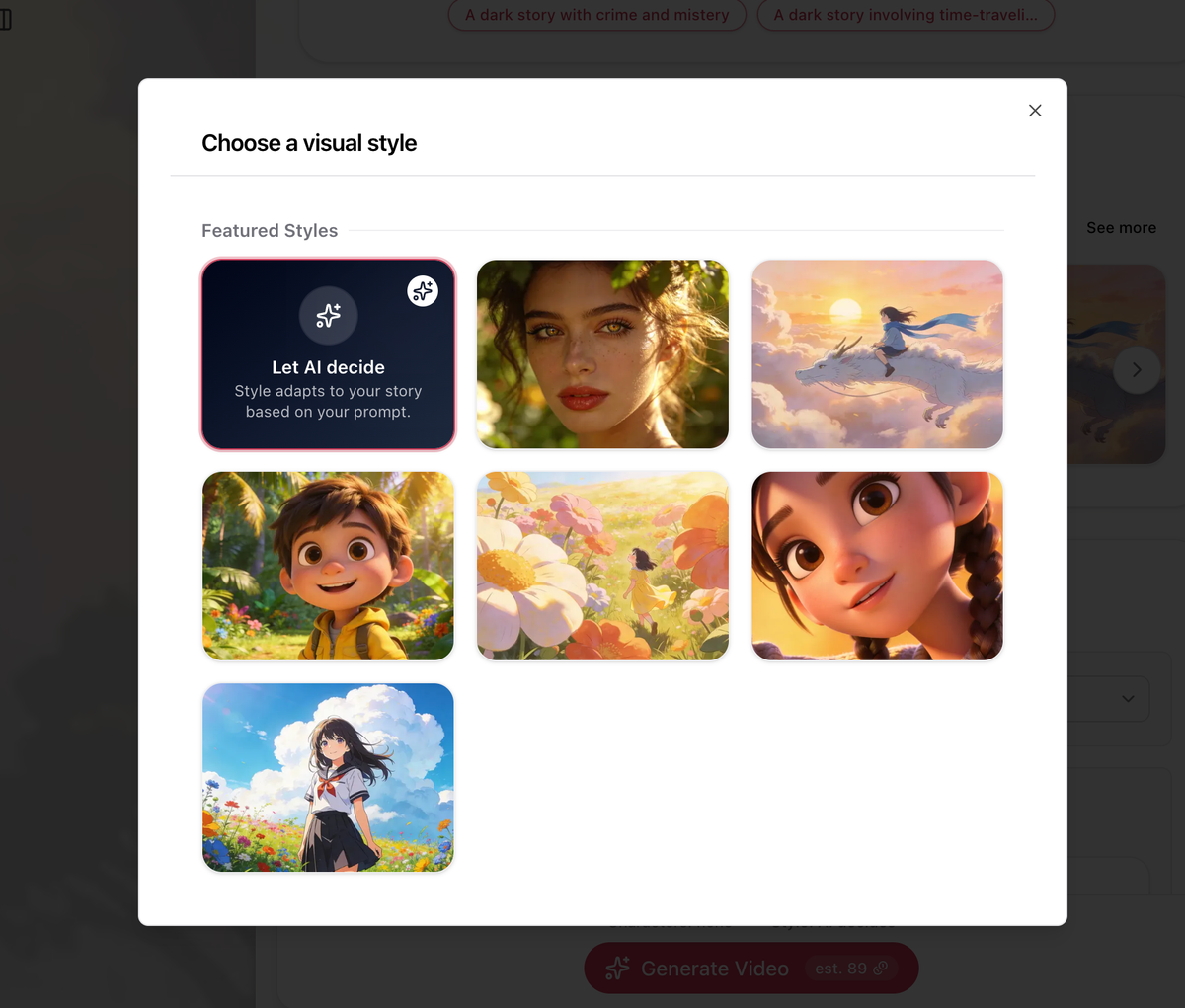
The fastest way to ruin a storyboard is a lead character who looks different in every panel. Solve it before you refine anything else. In LongStories, create a character profile — upload a clear front-facing reference or describe the character in detail — and the tool builds a reference sheet it uses to keep that character consistent across every frame. Set your visual style once (through a Universe) so lighting, palette, and art direction stay uniform from the first shot to the last.
Step 5: Add Shot Detail — Camera, Framing, and Notes
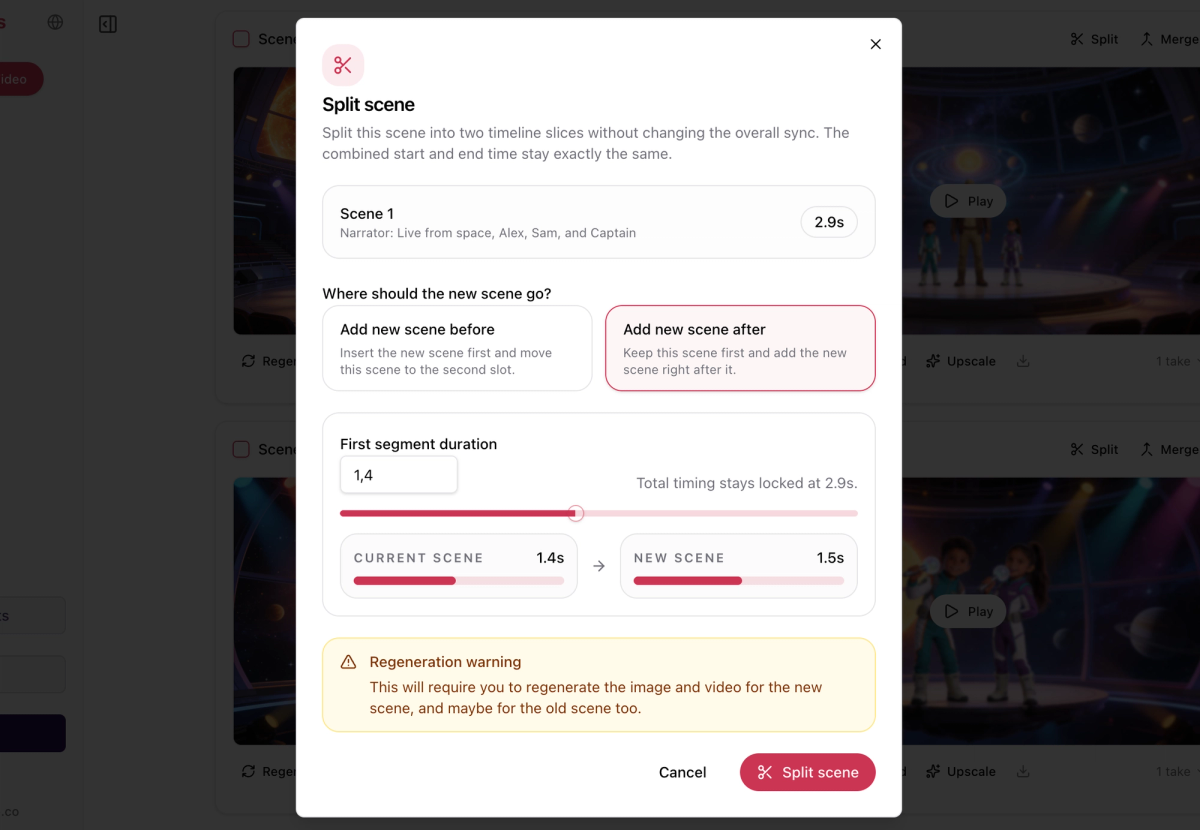
Now make each panel deliberate. This is where storyboards earn their keep. In your prompts, use shot language the tool understands: "wide establishing shot," "close-up on her hands," "low angle looking up," "over-the-shoulder." Specify what's in frame and what the camera is doing. The more precise the direction, the more your board communicates to anyone who picks it up — an editor, an animator, or future you.
Step 6: From Storyboard to Animatic or Final Video
A storyboard's whole purpose is to de-risk production, so the last step is moving forward with confidence. In LongStories, once the storyboard is approved you regenerate the same sequence as Fast Animation (a quick animatic to check timing and motion) or Pro Animation (final quality) — the characters, scenes, and order all carry through. Our full guide on how to create AI animation walks through that concept-to-final-video flow in detail. With other tools you'll typically export your board as a PDF or image sequence and hand it to your editor or video generator. Either way, the planning work you did is what makes the final video go smoothly.
Techniques for Better AI Video Storyboards
Keep one idea per panel. Cramming multiple actions into a single frame makes boards confusing. Break busy moments into separate shots — it reads more clearly and gives you more control.
Use real shot vocabulary. Words like "establishing shot," "two-shot," "Dutch angle," or "rack focus" give the AI clearer direction than vague descriptions and make your board feel professional.
Lock characters and style first, refine second. Consistency problems are far cheaper to fix before you've generated 20 panels. Nail the look in a quick test, then build out the full sequence.
Storyboard before you animate — always. The entire point is cheap iteration. Generating a static board first costs a fraction of full animation, so it's where you should catch pacing and composition issues. This is the same discipline that carries over to longer projects like our step-by-step AI cartoon guide.
Match aspect ratio to your final platform. Board in 16:9 for YouTube or 9:16 for Shorts and Reels from the start, so your framing decisions actually hold up in the finished video.
Reuse your board as a template. Once you have a storyboard structure that works, the same beats and characters can drive future videos. If you're building animation specifically, our roundup of the best AI tools for animation covers tools that take a board all the way to a finished episode.
Start Building Your AI Video Storyboard
Using AI for video storyboarding comes down to a simple sequence: start with a clear script, break it into shots, generate a quick static board, lock your characters and style, sharpen each panel with real shot direction, then move forward to your animatic or final video. The slowest, most expensive part of pre-production becomes a few minutes of iteration.
The craft still matters — a board is only as good as the story and the shot choices behind it — but the production barrier is gone. Pick a simple scene and generate your first storyboard today. With the AI animation generator's storyboard mode, you can go from script to a usable board, and from board to finished video, in a single sitting.
Frequently Asked Questions
What is an AI video storyboard?
An AI video storyboard is a shot-by-shot visual plan for a video, generated by AI instead of drawn by hand. You describe your scenes and the tool produces illustrated panels — usually with consistent characters, camera directions, and a set visual style — that you can refine and use to guide production.
Do I need to be able to draw to make an AI storyboard?
No. AI storyboarding is entirely prompt- or script-driven. You describe each shot in words (or paste a script), and the AI generates the frames. Drawing skill isn't required at any point.
Can I make an AI video storyboard for free?
Yes. LongStories.ai's free plan lets you generate a storyboard pass at no cost, and several other tools offer free trials. Free tiers usually limit the number of frames, characters, or exports, but they're enough to test whether a tool fits your workflow.
How is an AI storyboard different from just generating a video?
A storyboard is a cheap, fast planning step — static frames you can review and fix before committing to full production. Generating a finished video straight away is more expensive and harder to course-correct. Storyboarding first lets you catch pacing and composition problems while they're still easy to change.
Can I turn an AI video storyboard into a finished video?
Yes. Some tools, like LongStories, regenerate your approved storyboard directly as animation, carrying the characters and scene order through. Others let you export the board as a PDF or image sequence to hand off to an editor or a separate video generator.
LongStories is constantly evolving as it finds its product-market fit. Features, pricing, and offerings are continuously being refined and updated. The information in this blog post reflects our understanding at the time of writing. Please always check LongStories.ai for the latest information about our products, features, and pricing, or contact us directly for the most current details.