
AI Video Prompt Engineering: Tips for Better Results

AI video prompt engineering is the difference between a clip that looks like a random AI fever dream and one that looks like you actually directed it.
A text-to-video model can only render what you describe — so the detail and structure of your prompt set the ceiling on the quality of your video. Vague in, vague out.
The good news is that better prompts aren't about clever tricks; they're about describing your shot the way a director would. This guide breaks down what goes into a strong video prompt, gives you a repeatable framework, and shows weak-versus-strong examples you can copy and adapt. The principles work whether you're writing prompts in LongStories' AI animation generator, Runway, Veo, or any other tool.
What Is AI Video Prompt Engineering?
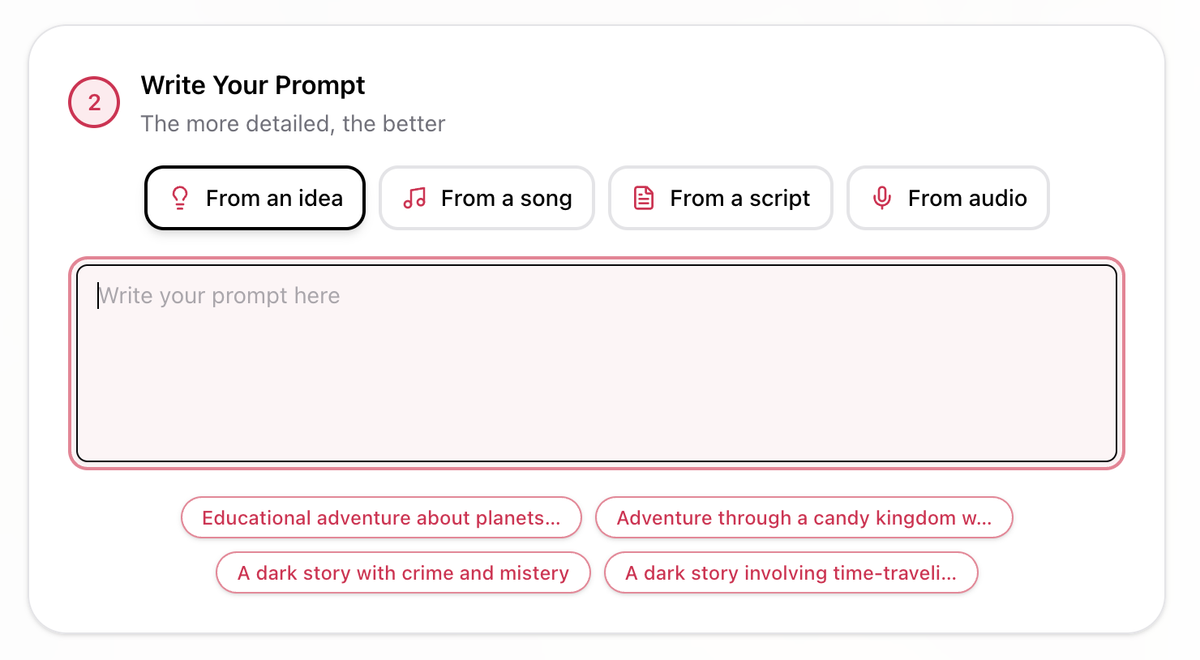
AI video prompt engineering is the practice of writing text instructions that get a video model to produce the output you actually want. It matters because video models are literal — they don't infer your intent the way a person would. Ask a friend for "a cool city shot" and they'll picture something reasonable. Ask a model and you'll get a generic, often disappointing result, because "cool" isn't something it can render.
What models can render is concrete, visual, cinematic detail: a specific subject, a clear action, a defined camera move, a named lighting setup. Prompt engineering is simply the skill of supplying those details in a structure the model can follow.
The Anatomy of a Strong AI Video Prompt
Almost every strong video prompt is built from the same six components. You don't always need all six, but the more you specify, the more control you have.
- Subject — who or what is in the shot, described specifically.
- Action — the single main thing happening.
- Setting — the environment, background, and time of day.
- Camera — shot type, angle, and movement.
- Style — the medium, aesthetic, or visual reference.
- Lighting & mood — light sources, color, and atmosphere.
Here's the same idea as a fill-in template:
[Subject] [action] in [setting]. [Camera shot and movement], [style], [lighting and mood].
And here's what that produces in practice:
Weak: "A woman walking in a city."
Strong: "A young woman in a red raincoat walks briskly down a rain-slicked Tokyo street at night, neon signs reflecting in the puddles. Tracking shot following her from behind, shallow depth of field, cinematic anamorphic look, moody blue-and-magenta lighting."
Same core idea, completely different result — because the second prompt answers all six questions instead of one.
Tip 1: Be Specific About Your Subject
"A dog" could be anything. Give the model the details that define your shot.
Weak: "A dog running."
Strong: "A shaggy golden retriever puppy with a red collar bounding across a sunny backyard, ears flopping."
Tip 2: Describe One Clear Action
Models handle a single, well-described action far better than a list of them. Cramming three actions into one prompt usually produces a muddy result.
Weak: "A chef chopping vegetables, then cooking, then plating a dish, then serving it."
Strong: "A chef's hands quickly dicing a red bell pepper on a wooden board, knife moving in steady rhythm, close-up."
If you need the full sequence, generate it as separate shots rather than one overloaded prompt.
Tip 3: Ground It in a Setting
The environment carries half the mood. Don't leave it to chance.
Weak: "A man sitting at a desk."
Strong: "A tired man sitting at a cluttered desk in a dim home office at 2 a.m., a single monitor glowing on his face, rain against the window behind him."
Tip 4: Direct the Camera With Real Cinematography Terms
This is the tip that separates amateur prompts from professional ones. Models respond to actual film vocabulary, not subjective words. Instead of "make it dramatic," tell the camera what to do.
Useful terms to keep in your back pocket: dolly in, tracking shot, crane up, slow push-in, steady handheld, whip pan, overhead/top-down, low angle, over-the-shoulder, wide establishing shot, extreme close-up. You can also specify lens and focus: 85mm portrait lens, shallow depth of field, rack focus.
Weak: "A dramatic shot of a lighthouse."
Strong: "A slow crane-up revealing a lone lighthouse on a cliff at dusk, wide establishing shot, 35mm, waves crashing below."
Tip 5: Lock the Style and References
Tell the model what kind of image you want — the medium and aesthetic. Concrete references work better than adjectives.
Weak: "A nice-looking animated forest."
Strong: "A misty forest in soft Studio Ghibli-style 2D animation, painterly backgrounds, warm muted color palette."
Naming a medium ("3D Pixar-style render," "claymation," "35mm film," "anime cel shading") gives the model a clear visual target.
Tip 6: Define Lighting and Mood Precisely
Lighting is where a shot's emotion lives, and models understand technical lighting language. Specify the light source, direction, and color temperature.
Weak: "A moody portrait."
Strong: "A close-up portrait lit by a single warm key light from the left, deep shadows on the right side of the face, soft rim light separating her from a black background, 3200K, faint haze in the air."
One caution: keep your mood coherent. Asking for "a dark, moody scene with bright, cheerful lighting" gives the model contradictory instructions and usually produces washed-out, confused footage. Pick one direction and commit.
Tip 7: Iterate by Changing One Variable at a Time
When a generation is close but not right, resist the urge to rewrite the whole prompt. Change one thing — the camera move, the lighting, the lens — and regenerate. This tells you which variable actually fixed the problem, and it keeps the parts that were already working. Scattershot rewrites just trade one set of issues for another.
Tip 8: For Multi-Shot Consistency, Chain Your Prompts
A single great shot is one thing; a sequence where the character and world stay consistent is harder. The 2026 approach is prompt chaining — carrying the same descriptive tokens (the exact subject and style wording) from one shot's prompt into the next, so the look persists across cuts.
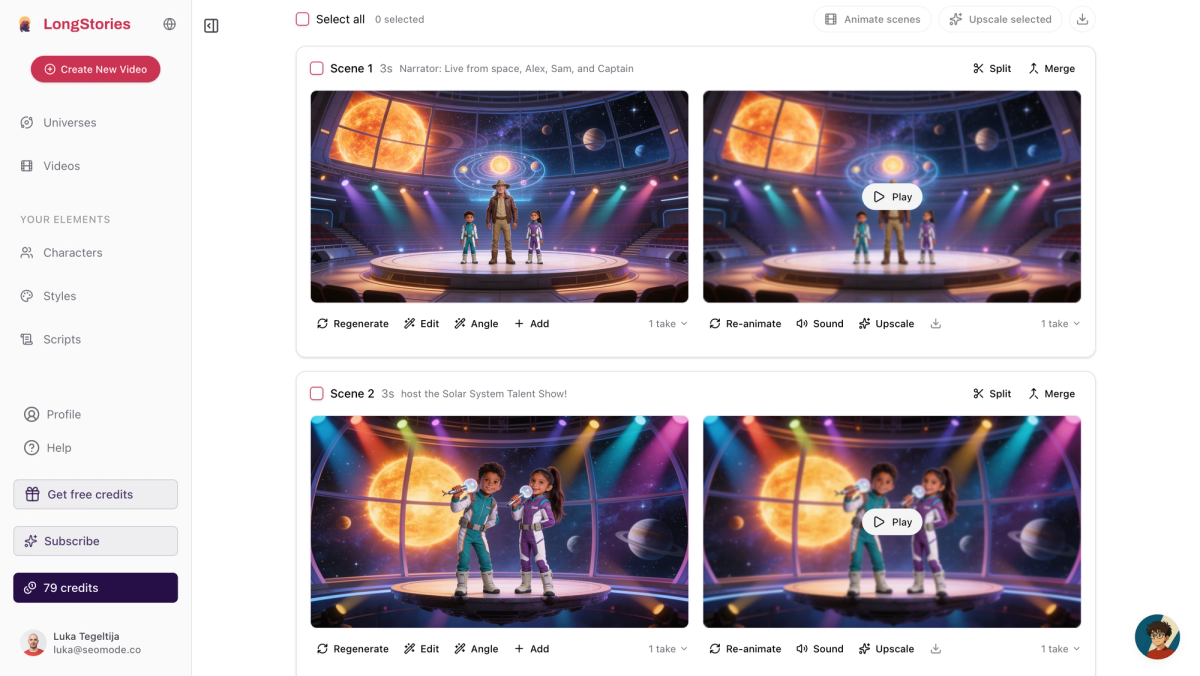
Some tools solve this more directly. In LongStories, for example, you define a character once as a saved profile and it stays consistent across every scene automatically, so you don't have to re-describe them each time. Our guide to creating AI animation walks through that character-consistency workflow, and the step-by-step AI cartoon guide shows prompt structure in a full project.
A Full Before-and-After Example
Putting every tip together, here's how a throwaway prompt becomes a directed shot.
Before: "A spaceship flying through space."
After: "A battered cargo spaceship drifts past a massive ringed planet, slow tracking shot moving left to right, wide cinematic framing, 35mm anamorphic, hard sunlight from the right casting long shadows across the hull, deep black space with scattered stars, photorealistic sci-fi style."
The "after" version answers all six components — subject, action, setting, camera, style, lighting — and the result is something you could actually use, not a coin flip.
Common Prompt Mistakes to Avoid
Conflicting instructions. Contradictory directions ("bright but dark," "calm but chaotic") confuse the model. Keep one coherent vision.
Subjective adjectives with no visual anchor. "Epic," "beautiful," and "cool" don't render. Translate them into concrete terms — a crane shot, golden-hour light, a wide vista.
Too many actions. One main action per shot. Split sequences into multiple generations.
Vague subjects. "A person," "a building," "an animal" leave too much to chance. Add the specifics that matter.
Forgetting the camera and lighting entirely. These are the two biggest levers on how cinematic a clip feels. Leaving them out is the most common reason a prompt produces flat, generic video.
Put It Into Practice
AI video prompt engineering comes down to one habit: describe your shot like a director, not a daydreamer. Name the subject, pick one action, set the scene, direct the camera, lock the style, and define the light. Then change one variable at a time until it's right.
The fastest way to get good at this is to write a prompt, generate it, and compare the result to what you pictured. Open the AI animation generator, try the framework on a single shot, and you'll feel the difference a well-engineered prompt makes immediately.
Frequently Asked Questions
What is AI video prompt engineering?
AI video prompt engineering is the skill of writing detailed, structured text instructions that get a text-to-video model to produce the result you want. It focuses on concrete, cinematic detail — subject, action, camera, style, and lighting — rather than vague descriptions the model can't interpret.
Why do my AI video prompts give bad results?
Usually because they're too vague or contain conflicting instructions. Models can't render subjective words like "cool" or "dramatic," and they struggle with contradictory directions. Adding a specific subject, a clear action, real camera language, and a coherent lighting and mood almost always improves the output.
Do the same prompt techniques work across different AI video tools?
Largely, yes. The core framework — subject, action, setting, camera, style, lighting — applies to most text-to-video models. Specific syntax and supported camera moves vary by tool, so it's worth checking each one's documentation, but strong fundamentals transfer everywhere.
How do I keep characters consistent across multiple AI video shots?
Two ways: chain your prompts by reusing the exact subject and style wording in every shot, or use a tool with saved characters that maintains consistency automatically. The second approach is more reliable for longer projects with a recurring character.
How long should an AI video prompt be?
Long enough to cover the components that matter and no longer. A strong prompt is usually one to three detailed sentences. Padding it with redundant or conflicting detail hurts more than it helps — clarity beats length.
LongStories is constantly evolving as it finds its product-market fit. Features, pricing, and offerings are continuously being refined and updated. The information in this blog post reflects our understanding at the time of writing. Please always check LongStories.ai for the latest information about our products, features, and pricing, or contact us directly for the most current details.