
Explainer videos · Beta
Videos that teach
An explainer video answers a question: how something works, why it happens, or how to do it. A narrator explains, and animated diagrams, maps, numbers and characters show each step.
Idea
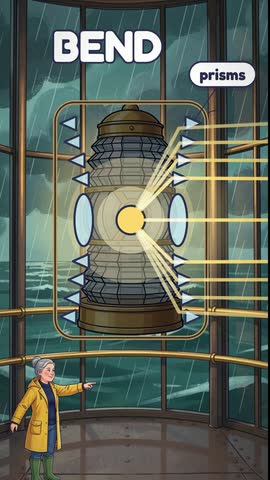
How does a lighthouse warn ships up to 40 km away? A keeper climbs the stairs as a storm hits the sea. Then the lens diagram, the beam's reach on a map, and each lighthouse's own flash code.
In and out
What you give, what you get
You give
- An idea in a sentence or two, such as "How does a volcano erupt?"
- A style: Bright, Paper, Notebook, Lumen or Flat.
- A level: Fast, Pro or Ultra.
- A length from 15 seconds to 5 minutes, landscape 16:9 or portrait 9:16, a language and a narrator voice.
You get
- A finished animated film with a narrator and music. The video draws its own characters.
- The script first, if you want to read it: change any line, then make the video.
- A film made of Cards, one Card for each part, so you can change one part and keep the rest.
- The video, its captions (SRT) and the narration alone (MP3) to download.
A 30-second video usually takes about 30 minutes. You can leave the page; your video waits in your library.
Examples
Made as explainer videos
Five finished films. Each one started from a question.
Side by side
Video story, music video or explainer video
Video Story
- What it is
- A story with characters, places and a plot.
- You start from
- An idea, a script or your own recording.
- On screen
- Your characters act it out, with a narrator, their own voices, or both.
- Length
- From about 15 seconds to 15 minutes, by plan.
- Best for
- Stories, bedtime tales, episodes of a series.
Music Video
- What it is
- A video built around a song.
- You start from
- A song you make on the Songs page or upload.
- On screen
- Pictures that follow the music. On Pro and Ultra, characters can sing it.
- Length
- The length of the song.
- Best for
- Songs, sing-alongs, lyric videos.
Explainer Video
- What it is
- A lesson that answers how or why.
- You start from
- A question or a topic.
- On screen
- Diagrams, maps, numbers, labels and characters that show each step, with a narrator.
- Length
- 15 seconds to 5 minutes.
- Best for
- Science and history for kids, how-to steps, facts, a product in three steps.
| Compare | Video Story | Music Video | Explainer Video |
|---|---|---|---|
| What it is | A story with characters, places and a plot. | A video built around a song. | A lesson that answers how or why. |
| You start from | An idea, a script or your own recording. | A song you make on the Songs page or upload. | A question or a topic. |
| On screen | Your characters act it out, with a narrator, their own voices, or both. | Pictures that follow the music. On Pro and Ultra, characters can sing it. | Diagrams, maps, numbers, labels and characters that show each step, with a narrator. |
| Length | From about 15 seconds to 15 minutes, by plan. | The length of the song. | 15 seconds to 5 minutes. |
| Best for | Stories, bedtime tales, episodes of a series. | Songs, sing-alongs, lyric videos. | Science and history for kids, how-to steps, facts, a product in three steps. |
Which one
When to pick which
Pick a video story when something happens to someone: a plot, a moral, an adventure.
Pick a music video when the song comes first.
Pick an explainer video when the viewer should learn something: how it works, why it happens, what the steps are.
Levels
Fast, Pro or Ultra
The level sets how detailed the animation is, and the price. The button always shows the price before you pay.
Fast
Clear animation, at the lowest cost.
30credits a second
- a 30-second video
- 900
- a Card change
- 100
Pro
More detailed animation where the explanation is hardest.
50credits a second
- a 30-second video
- 1,500
- a Card change
- 175
Ultra
The most detailed animation in every Card.
70credits a second
- a 30-second video
- 2,100
- a Card change
- 250
Explainer videos need a paid plan. If a video or a change does not finish, its credits go back to your balance. See plans
After the video
Change it with words
01
Change a Card
Open a Card, select Describe a change and write what you want, such as "Make the title larger." Each change makes a new take; going back to an older take is free.
02
Change this moment
Pause the video where something is wrong and select Change this moment. Tap the thing to change, then describe it.
03
Update the video
After Card changes, select Update video to put them in the film. It costs 1 credit a second.