
How Text-to-Speech Improves Video Narration Workflow
Text-to-Speech (TTS) technology transforms written text into lifelike audio, offering a faster and more cost-effective alternative to traditional voiceover methods. Here's why it matters:
- Faster Turnaround: Generate narration in minutes, not days. Perfect for tight deadlines or frequent updates.
- Lower Costs: TTS subscriptions range from $10–$20/month, compared to $50–$350/hour for professional voice actors.
- Flexible Revisions: Update scripts and regenerate audio instantly without extra fees.
- Consistency: Maintain steady voice quality across projects, ideal for branding.
- Scalability: Localize content in multiple languages with minimal effort.
With neural advancements, TTS now delivers human-like emotion and pacing, making it nearly indistinguishable from professional recordings. Whether you're producing online courses, YouTube videos, or corporate content, TTS simplifies workflows, saves money, and ensures high-quality results.
How to add AI text to speech voiceovers to tutorial videos
How Text-to-Speech Improves Video Production
Text-to-Speech (TTS) technology is transforming video production by cutting down on delays and costs tied to traditional methods. Instead of waiting days - or even weeks - for voice actors, creators can now produce professional narrations in just minutes. No more juggling schedules, booking studios, or managing the endless coordination that often slows down projects.
Faster Production Through Automation
Imagine creating narration for a 50-part course in just one afternoon. With TTS, that's entirely possible. Need to tweak the script? Simply adjust the text, and new audio is ready in seconds.
This efficiency allows production teams to work on visuals and audio simultaneously, rather than waiting for voiceovers to finish before diving into edits. As a result, production timelines shrink dramatically - from weeks to mere hours. This speed not only helps creators publish timely, relevant content but also significantly reduces costs.
Lower Production Costs
Traditional voiceovers come with hourly or per-word fees, plus added costs for revisions and studio time. TTS replaces this unpredictable expense with a straightforward subscription model. For creators producing high volumes of content, the savings can be massive. Think of channels releasing multiple videos weekly - those voiceover costs add up fast.
Localization is another area where TTS shines. With just a few clicks, creators can generate audio in multiple languages, eliminating the need for specialized equipment or costly professional setups.
Consistent Voice Quality and Easy Adjustments
Beyond speed and savings, TTS offers unmatched consistency in audio quality. AI-driven models ensure the voice remains steady, free from the natural variations that come with human narrators. Whether videos are produced months apart or all at once, they’ll sound as though they were recorded in a single session. Creators can even clone their voice or establish a signature brand voice for uniform narration.
TTS also opens up creative possibilities. Want to test a British accent versus an American one? Both options can be generated and compared in minutes. Adjustments to tone, pacing, or emotional delivery are as simple as moving a slider - no extra costs involved. These features make it easier than ever to align the narration with a creator's vision, reinforcing the streamlined workflow TTS provides.
How to Add Text-to-Speech to Your Video Workflow
Incorporating text-to-speech (TTS) into your video production process doesn’t have to be complicated. With the right tools, a polished script, and seamless integration into your editing software, you can enhance your workflow without starting from scratch. Here’s how to do it step by step.
Step 1: Pick the Right TTS Tool
Start by finding a TTS platform that suits your specific needs. The right tool can make all the difference in terms of efficiency and quality. For instance, Speechify offers a wide range of voices and languages, ElevenLabs excels in delivering emotional depth with minimal delay, and Voicestars stands out with unique voice and musical options.
Test out free versions to see how well each tool handles your content. Make sure the platform can export audio files in MP3 or WAV formats for easy integration into your editing software. If your video content is monetized, double-check that the tool provides proper commercial licensing. For brand consistency, consider platforms with voice cloning features to create a synthetic version of your own voice.
Step 2: Write a Script That Flows Naturally
Since TTS doesn’t improvise, your script needs to be finalized before production begins. Break it into short, timed sections that align with your video’s pacing.
Keep sentences concise, and limit each section to three or four sentences. Use punctuation strategically - commas for natural pauses and periods for longer breaks. You can even add manual cues like "pause" or "breath" to create a more natural rhythm. Be sure to match the script’s language setting with the TTS voice profile to avoid pronunciation hiccups. Pay extra attention to your introduction and conclusion to grab and hold the viewer's interest.
Step 3: Generate Audio and Fine-Tune Settings
Once your script is ready, generate the TTS audio and adjust its settings to match your video’s tone. Most platforms let you tweak parameters like speech rate, pitch, and volume. Whether your video calls for a formal tone, excitement, or mystery, these adjustments can help set the right mood. Some tools even allow for emotional nuances, like whispering for intimate moments or a dramatic tone for high-impact scenes.
After generating the audio, review it carefully. If something feels off, tweak the script or settings and regenerate the section. One of TTS’s biggest perks is how quickly you can make updates - no need for lengthy re-recording sessions. Export the final audio in MP3 or WAV format.
Step 4: Integrate Audio into Your Editing Software
Import your TTS audio files into your video editing software and align them with your visuals. Use your script’s timestamps to sync narration with the corresponding video segments. Adjust the timing as needed to ensure everything flows smoothly.
Balance the narration with background music and sound effects for a polished result. Don’t forget to add subtitles or captions for accessibility - this ensures your content is engaging even for viewers watching without sound. TTS audio works seamlessly with popular editing tools like Adobe Premiere Pro, DaVinci Resolve, Final Cut Pro, and iMovie.
Step 5: Review and Refine
Watch your final video with fresh eyes. Listen for any awkward phrasing, unnatural pauses, or timing issues. If you spot a problem, TTS makes it easy to fix - just update the script and regenerate the audio for that section in seconds. No need to schedule studio time or coordinate with voice talent.
As you refine your process, take notes on effective settings and techniques. Over time, you’ll develop a streamlined workflow that saves even more time while delivering professional-quality results.
sbb-itb-94859ad
Text-to-Speech vs Hiring Voice Actors
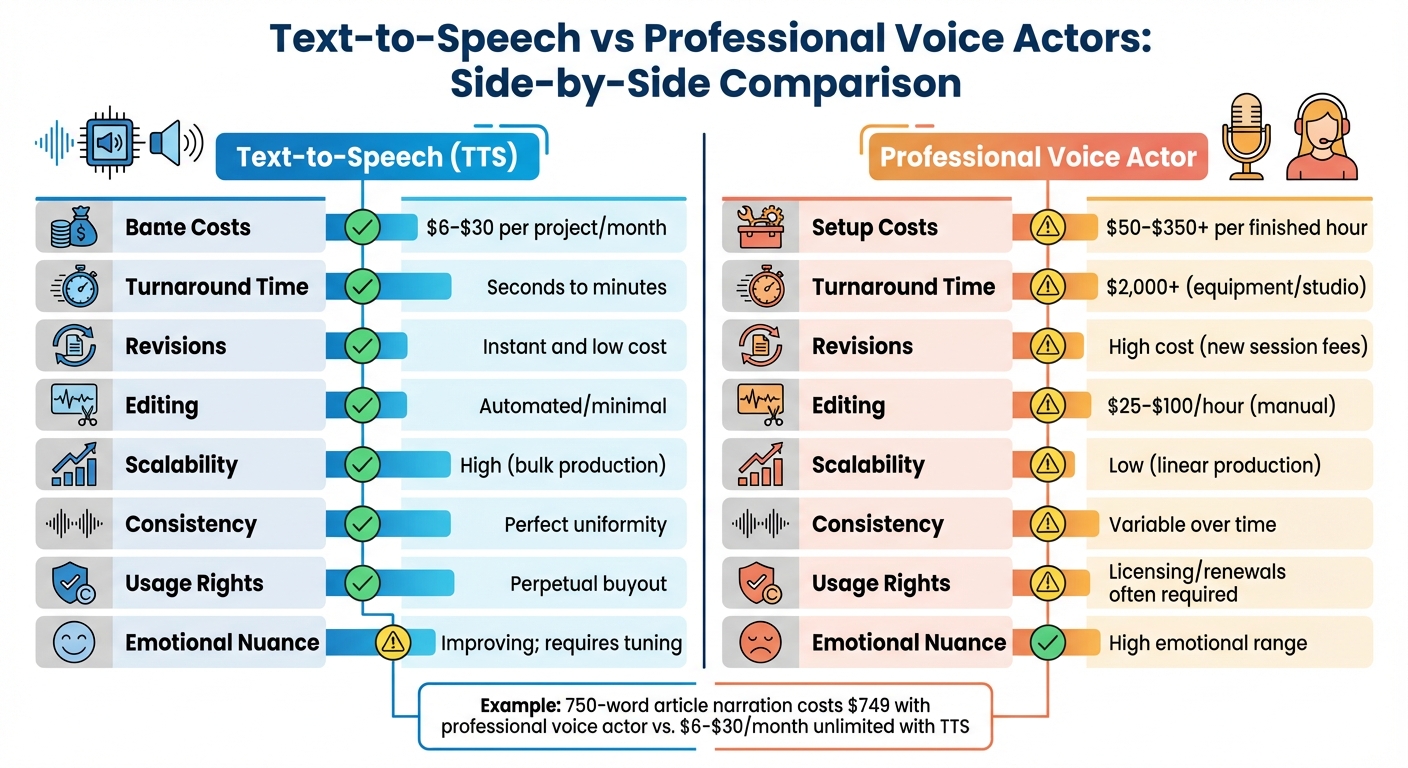
Text-to-Speech vs Professional Voice Actors: Cost and Time Comparison
Deciding between text-to-speech (TTS) and professional voice actors often boils down to three key factors: cost, speed, and scalability.
Cost Comparison
The price difference between TTS and hiring a voice actor is significant. TTS services typically cost between $6 and $30 per project or month. On the other hand, professional voice actors charge $50–$350 or more per finished hour, with additional expenses for studio time, which can range from $25 to $100 per hour, and equipment costs. For example, according to Voices.com, narrating a 750-word article using a professional voice actor can cost around $749.
Production Speed
When deadlines are tight, production speed becomes a critical factor. TTS can generate audio in mere minutes, allowing for instant revisions by simply editing the text. In contrast, working with a human narrator involves multiple steps: auditions, scheduling, recording sessions, and post-production editing. This process can take several days or even weeks. On average, it requires about 3.5 hours of work for every finished hour of audio.
Scalability for Large Projects
Scalability is another area where TTS shines, especially for producing high volumes of content. As Andy Webb, Head of Product for the Voice and AI Team at BBC, points out:
"You can't have somebody producing a new audio version of one article every time it's updated. But with synthetic language, there's hardly any additional cost to production at all."
TTS allows for simultaneous production across multiple projects, something that would be nearly impossible to achieve with human voice talent alone.
Side-by-Side Comparison
Here’s a quick breakdown of the main differences between TTS and professional voice actors:
| Factor | Text-to-Speech (TTS) | Professional Voice Actor |
|---|---|---|
| Base Cost | $6–$30 per project/month | $50–$350+ per finished hour |
| Setup Costs | $0 (software only) | $2,000+ (equipment/studio) |
| Turnaround Time | Seconds to minutes | Days to weeks |
| Revisions | Instant and low cost | High cost (new session fees) |
| Editing | Automated/minimal | $25–$100/hour (manual) |
| Scalability | High (bulk production) | Low (linear production) |
| Consistency | Perfect uniformity | Variable over time |
| Usage Rights | Perpetual buyout | Licensing/renewals often required |
| Emotional Nuance | Improving; requires tuning | High emotional range |
Each option has its strengths and trade-offs, so the right choice depends on your specific project needs and priorities.
Advanced TTS Techniques with LongStories.ai
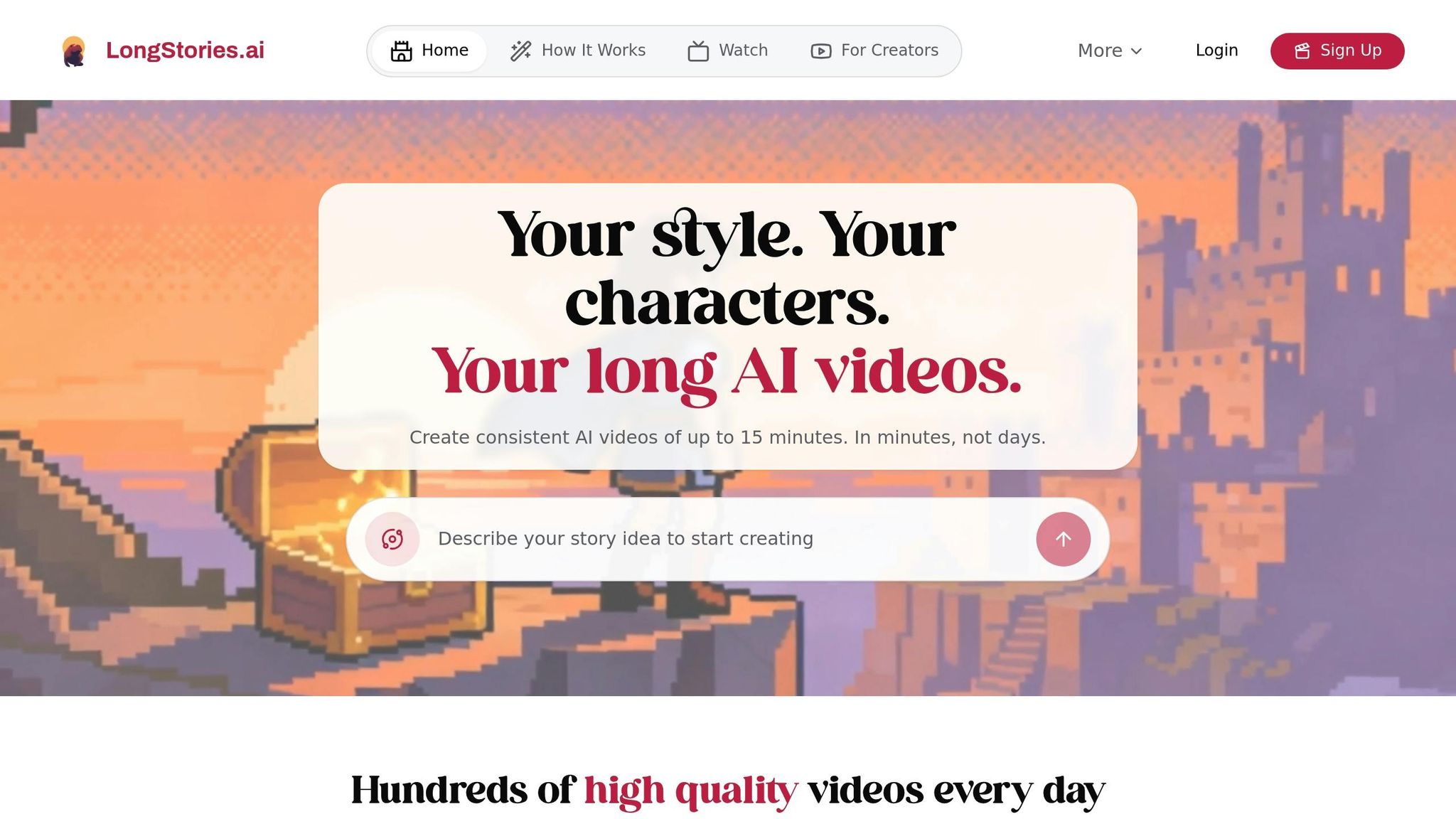
Text-to-speech (TTS) technology has already proven its value in video production, but advanced techniques can take long-form content creation to the next level. For creators working on extensive video series, one of the biggest hurdles is maintaining consistency across dozens - or even hundreds - of episodes. LongStories.ai tackles this challenge head-on with its "Universes" feature, which allows you to save your characters, visual styles, and voice profiles. This ensures every episode aligns with your brand identity, eliminating the need to start from scratch each time.
Reusable Voices and Universes
A distinct AI voice can become a hallmark of your brand. LongStories.ai makes this easy by saving your chosen voice profile within a dedicated "Universe." This feature helps maintain a consistent tone and style across all episodes in a series.
"Text-to-speech ensures consistency in voice and tone throughout a video or series of videos. This is particularly important for maintaining a cohesive brand identity and user experience."
– Aliaksei Horbel, Content Creator, Peech
The platform also simplifies localization by enabling the use of the same voice profile across multiple languages. This cuts down setup time and ensures your branding remains intact as you expand into new markets. Combined with advanced editing tools, these features significantly boost production efficiency.
Bulk Editing and API Access
Once your brand voice is set, LongStories.ai offers tools to streamline quality control across multiple projects. With bulk editing, you can adjust pacing, pronunciation, and script details for several videos at once. This is particularly valuable for studios handling large-scale productions.
Additionally, the platform’s API access allows seamless integration into existing workflows, offering low latency and cost-effective solutions. Some advanced TTS APIs cost as little as 1¢ per minute, slashing production expenses by up to 50% compared to traditional methods.
Creating Long-Form Videos for YouTube Monetization
For creators aiming to monetize on YouTube, meeting the platform’s requirements - 1,000 subscribers and 4,000 hours of watch time within a year - can be daunting. LongStories.ai supports videos up to 10 minutes long, helping you hit these benchmarks while keeping your audience engaged.
The platform also provides three animation quality tiers (No Animation, Fast Animation, Pro Animation) to suit various budgets and needs, catering to both solo creators and high-output studios. AI-generated "faceless" channels have become a popular way to generate passive income, as long as the narration feels natural and the script resonates with viewers. By leveraging these advanced TTS tools, creators can not only meet YouTube’s monetization goals but also maintain a scalable and efficient production process.
Conclusion
Text-to-speech (TTS) technology has transformed the way creators approach video narration. With the ability to produce professional-quality voiceovers in just minutes, it’s now easier than ever to streamline production. Flat-rate subscriptions replace the high costs of studio recordings, while text-based editing tools make revisions quick and hassle-free. Thanks to advancements in neural TTS, these voiceovers capture emotion and pacing so naturally that they’re almost indistinguishable from human speech - meeting the high standards your audience expects.
This efficiency doesn’t just save time and money; it also strengthens your creative brand. For creators looking to scale their output, platforms like LongStories.ai offer solutions to maintain brand consistency. Their "Universes" feature stores your characters, visual styles, and voice profiles, ensuring every video stays true to your brand’s identity without starting from scratch each time.
The global TTS market is expected to grow from $4.0 billion in 2024 to $7.6 billion by 2029, underscoring a key point: TTS isn’t just about saving money - it’s a strategic tool that opens up new opportunities for content creation. By taking care of the technical side, TTS allows you to focus on what really matters: crafting stories that resonate with your audience.
With the speed and flexibility TTS provides, you can publish content more frequently and connect with your audience on a deeper level. It’s a game-changer for creators who want to focus less on logistics and more on storytelling.
FAQs
How does text-to-speech ensure consistent voice quality across different projects?
Text-to-speech (TTS) technology delivers reliable voice quality by leveraging advanced AI models and extensive libraries of professionally recorded voices. These systems use standardized acoustic settings and prosody adjustments to ensure that the output sounds natural and expressive, even when used across various projects.
Many TTS tools also let users tweak settings like pitch, speed, and emphasis. This added flexibility allows creators to customize the voice while keeping it consistent. As a result, TTS is a great choice for maintaining a unified voice identity in long-term projects or branded content.
How does text-to-speech save money compared to hiring professional voice actors?
Text-to-speech (TTS) technology offers creators an affordable way to produce polished narrations without the hefty price tag of professional voice actors. Hiring a professional voiceover artist can range from $100 to $400 per hour, but TTS can generate similar-quality audio for only a few cents per minute.
This budget-friendly solution is ideal for creators looking to produce large volumes of content while keeping expenses low. With TTS, they can save both time and money without sacrificing the professional quality their audience expects.
How can text-to-speech (TTS) streamline my video editing process?
Integrating text-to-speech (TTS) into your video editing process can be a real game-changer, saving you both time and effort. Begin by perfecting your script - make sure it's polished, formatted correctly, and uses proper U.S. spelling and punctuation. Once that's done, turn to a TTS platform to generate your narration. Choose a voice that sounds natural and tweak settings like pitch and speed to fit your project. After exporting the audio file, import it into your video editing software and sync it with your visuals. Wrap things up by refining the audio mix - add fades, adjust volumes, and layer in background music to give your video a polished, professional feel.
If you're creating long-form content, tools like LongStories.ai can make the process even smoother. These platforms can generate narration files that are ready to go, complete with consistent voices and styles that align with your brand. This eliminates the hassle of manual syncing and speeds up your workflow significantly.
Related posts
LongStories is constantly evolving as it finds its product-market fit. Features, pricing, and offerings are continuously being refined and updated. The information in this blog post reflects our understanding at the time of writing. Please always check LongStories.ai for the latest information about our products, features, and pricing, or contact us directly for the most current details.