
What Are Premium Video Templates and How to Use Them

Premium video templates are pre-designed video frameworks that save time and effort in video production. They include professional features like animations, transitions, text overlays, and effects, making it easier to create polished videos without starting from scratch. These templates are customizable to match your brand’s style and often include commercial licensing, making them ideal for professional use.
Key Benefits:
- Faster Production: Set up in 10–15 minutes; future videos take just 5 minutes.
- Brand Consistency: Lock in characters, colors, and styles for a uniform look.
- Lower Costs: Reduce reliance on expensive editors or designers.
How to Use:
- Select a template based on your video goals (e.g., marketing, education).
- Customize visuals, text, and audio to align with your brand.
- Preview and export in the required format.
Where to Find:
- LongStories.ai: AI-powered platform for creating reusable “Universes” with consistent characters and styles.
- Envato Elements: Offers over 31,500 templates for tools like Adobe Premiere Pro and After Effects.
Using premium templates simplifies video creation while maintaining quality and professionalism.
Benefits of Premium Video Templates
Faster Production and Workflow Efficiency
Premium video templates take the hassle out of repetitive setup tasks, speeding up the video creation process. Instead of starting from scratch every time, these templates allow you to define key visual elements once by creating a "Universe." From there, you can produce new videos quickly using simple narrative prompts - no need for complex technical steps.
The initial setup takes about 10–15 minutes, while subsequent videos can be prepared in just 5 minutes. This efficiency can significantly boost output, enabling teams that previously produced one video per week to create multiple videos daily. Additionally, premium templates feature tiered production modes - such as "Storyboard" for quick concept testing and "Fast" or "Pro Animation" for polished results. Features like bulk asset downloads and API integration further streamline workflows, making it easier to scale production for long-form videos up to 15 minutes.
Beyond saving time, these templates ensure your videos maintain a consistent, professional look across all projects.
Better Video Quality and Brand Consistency
One of the toughest challenges in video production is ensuring that every piece aligns with your brand’s visual identity. Premium templates solve this by locking in key elements like character designs, animation styles, colors, and lighting from the start. Unlike traditional AI tools that might produce inconsistent results, these templates ensure your characters and settings remain stable across scenes.
This consistency extends to your overall brand identity. By defining your "World" or setting once, you create a cohesive style that every new video follows, eliminating the risk of visual inconsistencies. Whether you're creating polished "Pro Animation" videos or faster drafts, the quality remains reliable. Plus, when it’s time to update your brand, making changes to the template ensures all future videos reflect the new look without affecting your existing content.
Lower Costs Than Traditional Production
Premium templates significantly reduce production costs by cutting out the need for specialized labor. There’s no longer a need to hire video editors, graphic designers, or animation experts to achieve professional results. These templates handle complex tasks like scene transitions, text placement, and animations automatically, freeing you to focus on your message.
The cost savings grow even more with scalability. Once you’ve defined your characters, styles, and voices, you can reuse these assets indefinitely, avoiding the need to start from scratch with each project. Using low-fidelity modes like "Storyboard" for quick testing before committing to polished "Pro Animation" renders also helps optimize resources. This approach is perfect for creating high-volume content, whether it’s daily social media clips, weekly educational series, or long-form YouTube videos - all without stretching your budget.
sbb-itb-94859ad
How to Choose Premium Video Templates
Match Templates to Your Video Style and Goals
Start by identifying the type of content you’re creating. For a YouTube series or a brand channel, look for templates that emphasize continuity - consistent character designs, color schemes, and lighting can help reinforce your branding. If you’re producing marketing videos, templates with built-in intros, outros, and logo reveals can save time and enhance professionalism. Educational content creators, on the other hand, should prioritize templates that include features like lower thirds for context and smooth transitions between topics.
Customization is key. Templates that only allow basic text edits might feel generic. Instead, choose ones that let you tweak fonts, textures, lighting, and effects to better reflect your brand’s personality. For longer videos, ensure the template supports your required length. Platforms increasingly accommodate videos up to 15 minutes, which aligns with YouTube monetization requirements.
Finally, make sure the template is compatible with your editing tools.
Verify Platform Compatibility
Before downloading, double-check the file format. For instance, MOGRT files are designed for Adobe Premiere Pro, .prproj files work with Premiere Pro projects, and .aep files are specific to After Effects. These formats aren’t interchangeable, so picking the wrong one can waste valuable time.
If you use non-Adobe software like Final Cut Pro or DaVinci Resolve, confirm that the platform supports bulk asset downloads for your workflow. Some AI-powered systems even let you define your “Universe” - a set of characters, styles, and voices - once, and then export assets for use across multiple platforms without repetitive setup.
Test Templates Before Buying
Many platforms provide free trials, often without requiring a credit card. These trials allow you to explore customization features and test templates in your workflow without any risk. Take advantage of this opportunity to build a test project and ensure the template fits your needs.
For concept testing, use low-fidelity modes like "Just Storyboard" to create static scenes. This lets you evaluate the visual style, character consistency, and lighting before committing to a fully rendered animation. Export a few test assets to confirm they integrate seamlessly with your editing software before making a final decision.
Edit Faster Using Motion Graphics Templates | Premiere Pro Tutorial w/ Justin Odisho | Adobe Video
How to Use Premium Video Templates
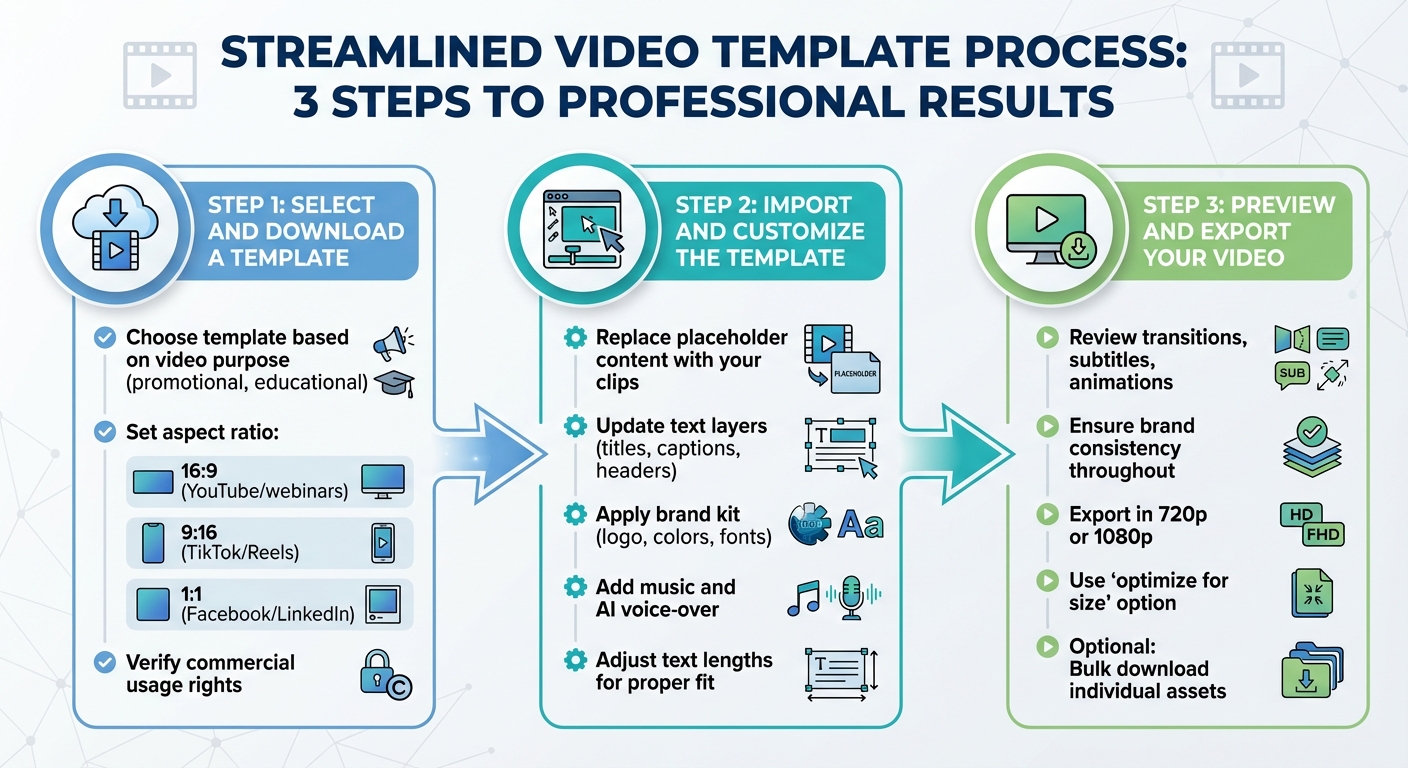
How to Use Premium Video Templates in 3 Steps
Step 1: Select and Download a Template
Start by picking a template that aligns with your video's purpose. For example, promotional videos often include features like logo reveals and calls-to-action, while educational ones might have lower thirds and smooth transitions for a professional touch.
Make sure to set the aspect ratio before downloading. Use 16:9 for YouTube or webinars, 9:16 for TikTok and Instagram Reels, or 1:1 for Facebook and LinkedIn. Choosing the right ratio upfront saves time and simplifies your editing process.
Also, double-check that the template includes commercial usage rights. While most premium platforms clearly outline their licensing terms, it’s always smart to confirm before making a purchase.
Once you’ve downloaded the template, you’re ready to import and customize it.
Step 2: Import and Customize the Template
Open the template in your video editing software and start replacing placeholder content with your own. Swap out any stock footage with your original clips or AI-generated visuals. Update text layers - like titles, captions, and headers - to match your script or messaging.
To keep your video consistent with your brand, apply your brand kit. Incorporate your logo, color palette, and fonts across all scenes. This ensures a cohesive look that helps your audience immediately recognize your content, especially for recurring series or campaigns.
For audio, explore the music library included with your platform - some offer thousands of tracks filtered by mood and genre. You can also add an AI-generated voice-over with a specific tone or accent to match your video’s style. Be sure to adjust text lengths in the template to ensure subtitles, headers, and other elements fit seamlessly within the design.
Once you’ve customized the visuals and audio, preview your edits to confirm everything flows smoothly.
Step 3: Preview and Export Your Video
Watch the entire video from start to finish. Check for smooth transitions, proper subtitle timing, and consistent animations. This review step is crucial to ensure your message is delivered clearly and looks polished.
Stick to your brand guidelines by maintaining uniform fonts, colors, and animations throughout. Once you’re happy with the final product, export the video in 720p or 1080p. Use the “optimize for size” option to balance quality and file size, making it easier to share or upload.
If your template includes advanced features, you might also have the option to bulk download individual assets. This can be handy if you want to refine specific elements further in professional editing tools.
Where to Find Premium Video Templates
LongStories.ai
LongStories.ai takes a different approach compared to traditional video templates. Instead of downloading pre-made designs, you build a "Universe" that defines your characters, visual style, and voice settings. This reusable setup takes about 10–15 minutes to create, and once it's ready, you can generate new episodes from simple prompts in just 30 seconds.
The platform offers three animation quality levels to suit different needs and budgets: Just Storyboard (static scenes for testing ideas), Fast Animation (a balance of motion and speed), and Pro Animation (high-quality output). You can create videos up to 15 minutes long, hitting the sweet spot for YouTube's monetization requirements of 8–10 minutes. Pricing starts at $25/month for 2,000 credits (no watermarks included), while the $99/month Creator plan unlocks full API access for workflow automation. This system contrasts with platforms like Envato Elements, which stick to the more traditional download-and-edit model.
Envato Elements
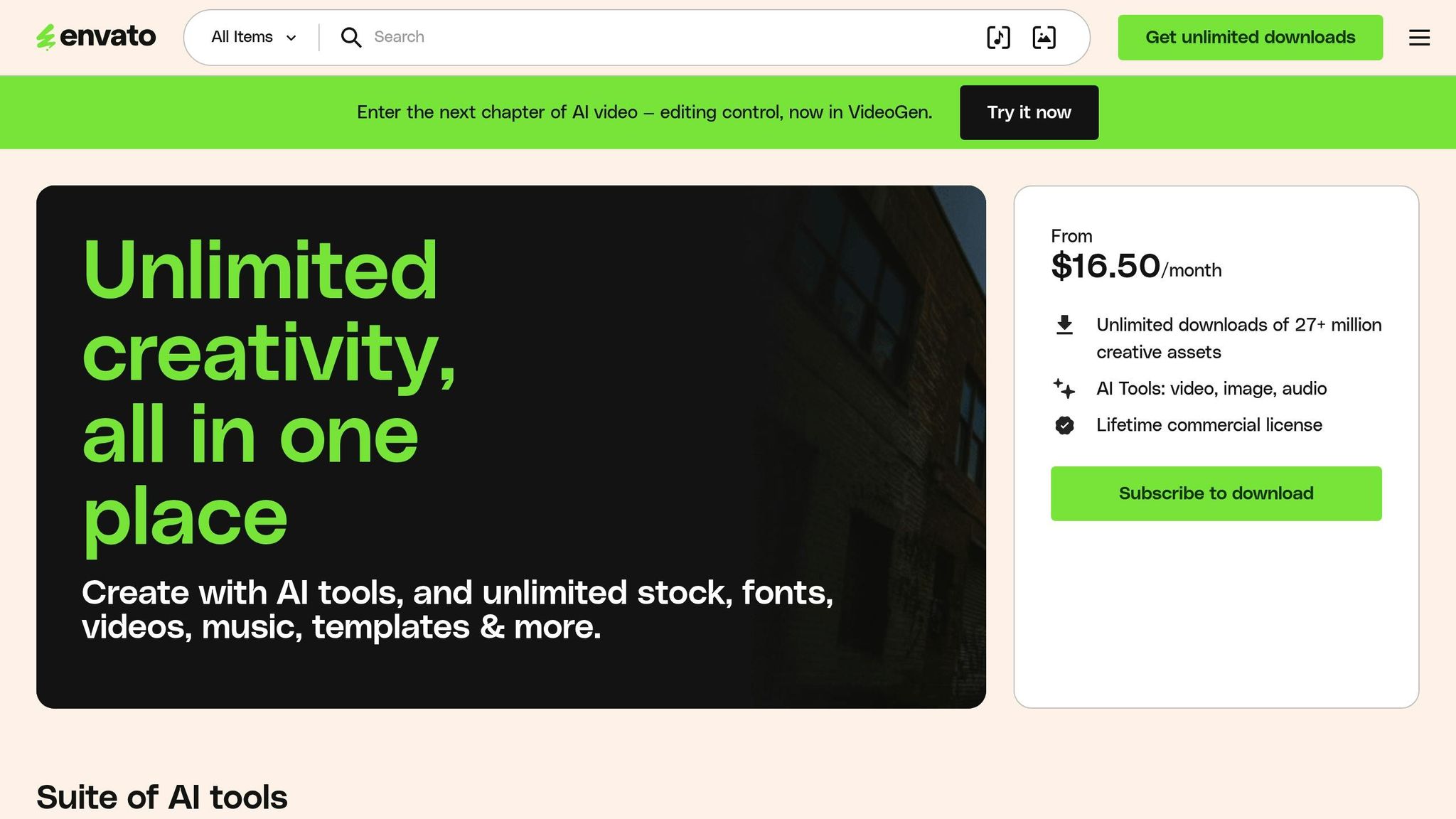
Envato Elements is a treasure trove for video creators, offering a library of over 31,500 templates compatible with popular software like Adobe Premiere Pro, After Effects, DaVinci Resolve, and Final Cut Pro. A subscription gives you unlimited downloads and a lifetime commercial license for all assets. Whether you need logo animations, lower thirds, or complete promotional packages, this platform has you covered.
Dylan Bates (@TheFinalCutBro) remarked, "Envato Elements not only inspires me to create better videos, but it also enables me to create the highest quality videos on a budget, way faster".
Adobe Premiere Pro and After Effects Templates
For those who prefer maximum creative control, Adobe templates - often sourced via Envato - are a go-to option. These templates include professional-grade title sequences, transitions, and openers, perfect for producing broadcast-quality motion graphics. While they require manual editing in professional software, they’re ideal for editors who want to fine-tune every detail.
Kevin Diaz shared, "Envato Elements is without doubt one of the most important tools we have right now and it has increased our productivity by far".
These platforms offer a range of tools, allowing creators to choose what best fits their workflow and production goals.
Conclusion
Premium video templates tackle major production hurdles by saving time, maintaining brand uniformity, and cutting costs. With templates, you can define your brand’s look once and create countless videos with a consistent style, eliminating the need to start from scratch every time.
For example, one film studio transitioned from producing a single YouTube episode weekly with a full team to creating multiple episodes daily by automating tasks like scene structuring, text placement, transitions, and maintaining style consistency.
The cost advantages are also striking. Traditional production often requires large crews and specialized expertise, but templates provide professional results without those steep expenses.
Selecting the right template system depends on your specific needs. Universe-based platforms are ideal for projects with recurring characters and themes, while downloadable options from platforms like Envato or Adobe are better suited for one-off projects that require more creative flexibility. Aligning your tools with your workflow - whether for quick daily uploads or carefully polished releases - ensures your brand remains impactful with every video.
FAQs
Do premium templates include commercial rights?
The details provided don't specify if premium video templates include commercial rights. To get a clear answer, check the terms and conditions or reach out to the provider directly.
Which template format works with my editor?
Premium video templates are designed to work seamlessly with popular editing software like Adobe Premiere Pro, giving you the flexibility to fully customize visuals, text, and animations. Platforms like Pictory and LongStories.ai also provide templates optimized for their unique workflows, making editing straightforward and efficient. To avoid any technical hiccups, always choose templates specifically created for your editing software or platform.
When should I use a reusable “Universe”?
When creating a series, episodic content, or projects that demand a consistent brand identity, consider using a reusable "Universe." This approach ensures your characters, style, and tone remain consistent across multiple videos. Plus, it makes producing unlimited videos easier and more efficient, saving time while maintaining a cohesive feel.
Related posts
LongStories is constantly evolving as it finds its product-market fit. Features, pricing, and offerings are continuously being refined and updated. The information in this blog post reflects our understanding at the time of writing. Please always check LongStories.ai for the latest information about our products, features, and pricing, or contact us directly for the most current details.