
How to Make AI Anime: The Complete Guide for 2026

Anime has one of the most recognizable visual styles in the world — and for a long time, recreating it required either years of drawing practice or a budget to hire a studio. AI has changed that. You can now generate anime-style art, characters, and even full animated anime video stories from a text prompt, with no artistic background required.
This guide covers the different types of AI anime you can make, which tools are actually worth using, and how to get started today.
The Best Tools for Making AI Anime in 2026
1. LongStories.ai — Best for Full AI Anime Video Stories
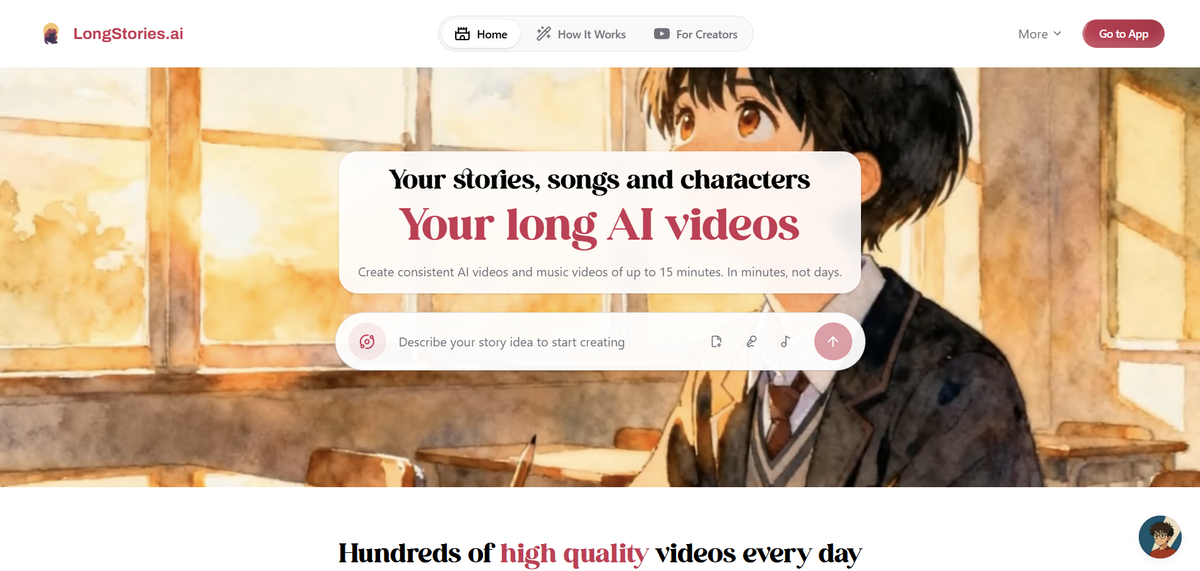
If you want to make an actual anime episode — with scenes, characters, narration, and a story — LongStories.ai is the most purpose-built tool for it. It's not a general-purpose image generator; it's specifically designed for creating long-form narrative video, and it supports dedicated anime visual styles.
Anime styles available:
LongStories offers two styles that directly serve anime creators:
- Studio Ghibli anime style — soft, painterly, emotionally expressive. Ideal for fantasy, slice-of-life, or adventure stories that feel cinematic.
- Anime/Manga — classic anime aesthetic with clean lines, high contrast, and bold character designs. Better for action, drama, or more traditional anime storytelling.
You can also choose "Let AI decide" and describe your story in detail — the platform will select a matching style from your prompt.
How it works:
You start by choosing a Universe (the world your story inhabits — use "Open Universe" for anything), then write a prompt or paste a script, add characters for visual consistency, pick your anime style, and generate. Input options include writing from an idea, uploading a song for a music video, pasting an existing script, or uploading audio.
The platform supports videos up to 15 minutes long — enough for a real anime short or a full episode. Voiceover is built in, with AI narration in multiple languages and selectable narrator voices.
What makes it stand out for anime:
The key problem with most AI video tools for anime is character consistency. An AI might generate a character who looks completely different from one scene to the next — wrong hair color, different face shape, inconsistent clothing. LongStories solves this with saved characters: you define a character once, and the same design carries through every scene of your video. For anime specifically, where character identity is everything, this is the feature that actually makes the output look like a show rather than a random collage.
Pricing:
Free plan: 200 credits, one video, up to 30 seconds. Good enough to test the platform and see how it handles your anime style of choice.
Paid plans start at $59/month (Pro), which includes 4,500 credits, downloadable videos, and videos up to 10 minutes. Higher tiers go up to $499/month for high-volume production. A one-minute anime video on Fast Animation costs roughly 284 credits; Pro Animation (higher visual quality) costs around 534 credits per minute.
Best for: YouTube anime creators, storytellers who want full episodes, music video creators, anyone building a serialized anime series.
→ Try it at longstories.ai
2. NovelAI — Best for Anime Character Art and Illustrations

NovelAI is one of the most respected tools specifically for anime-style image generation. It's trained on anime artwork and produces output that genuinely looks like anime — not a generic cartoon approximation. You can generate characters, scenes, and illustrations from text prompts with fine-grained control over art style, pose, expression, and detail.
It doesn't make videos — it's purely an image generator. But if your goal is anime art, profile images, character sheets, or visual references for a project, NovelAI is among the best options available.
Best for: Anime artists, character designers, anyone who wants high-quality static anime illustrations.
3. Midjourney — Best for Cinematic Anime Stills

Midjourney produces some of the most visually striking AI-generated images available, and with the right prompting, it handles anime style well. Prompts like --style anime, references to specific aesthetics (Makoto Shinkai lighting, Satoshi Kon composition), or detailed scene descriptions can produce cinematic anime stills that look genuinely impressive.
The tradeoff is that Midjourney has no native video support, and getting consistent character designs across multiple images requires workarounds. It's a tool for single images, not narratives.
Best for: Concept art, storyboarding, social media anime illustrations, one-off scenes.
4. Runway Gen-4.5 — Best for High-Quality Anime Animation
Runway is a professional-grade AI video tool that supports stylized output including anime aesthetics. With reference image support and camera control, you can take a Midjourney or NovelAI character image and animate it — adding motion, camera movement, and scene transitions.
The workflow is more complex than LongStories: you generate character art elsewhere, then bring it into Runway for animation. It's powerful but requires more effort and technical familiarity. The output quality ceiling is very high.
Best for: Creators who want maximum visual quality and don't mind a multi-tool workflow.
5. Pika — Best for Short Anime Clips on Social Media

Pika is fast, accessible, and well-suited for short stylized clips. If you want a quick 5-10 second anime-style scene to post on TikTok or Instagram, Pika can produce something visually compelling with minimal setup.
It doesn't support long-form narrative, and character consistency across clips isn't a strength. But for short-form social content, it's one of the faster tools to go from idea to post.
Best for: Social media creators, short clips, quick experiments.
How to Make an AI Anime Video with LongStories.ai
Here's the full creation flow for making an anime video on LongStories:
Step 1: Open the creation screen and choose your Universe Go to longstories.ai and open the video creator. Select "Open Universe" to tell any story you want.

Step 2: Define your characters (optional but recommended) Add saved characters to keep visual consistency across every scene. You can use LongStories's default characters or create custom ones. If you skip this, the AI generates characters from your prompt — which is fine for a one-off video but inconsistent across episodes.
Step 3: Write your prompt Describe your story in detail. The more specific, the better. Include character descriptions, setting, mood, and what happens scene by scene. You can also paste a full script if you have one, upload a song for a music video, or provide an audio file.
Example prompts that work well for anime:
- "A teenage samurai discovers her sword is possessed by an ancient spirit who speaks only in riddles. Set in feudal Japan with cherry blossoms."
- "A quiet high school boy realizes he's the only person who can hear a ghost haunting the school's rooftop garden."
Step 4: Choose your anime style Select Studio Ghibli anime style for a softer, more cinematic look, or Anime/Manga for a classic anime aesthetic. If you're unsure, "Let AI decide" will pick a style based on your prompt.
Step 5: Set duration and animation level Choose your video length and animation level:
- Just Storyboard — static illustrated panels (fewest credits, good for previewing)
- Fast Animation — motion added, budget-friendly
- Pro Animation — cinematic quality motion (recommended for final output)
Turn on voiceover if you want AI narration. You can select the narrator voice and language.
Step 6: Generate and edit Hit Generate. Once the video is ready, you can edit individual scenes, regenerate specific clips, and on paid plans, export in up to 4K resolution.
Tips for Better AI Anime Results
Reference specific anime aesthetics in your prompt. Phrases like "Studio Ghibli lighting," "shonen manga style," "Makoto Shinkai sky," or "dark psychological thriller anime" give the AI much clearer direction than just saying "anime."
Describe characters precisely. Hair color, eye color, clothing, and personality details all influence how characters look. "A girl with short silver hair, violet eyes, and a worn school uniform who always looks slightly sad" is much more useful than "an anime girl."
Use the Studio Ghibli style for emotional stories. If your anime is about nature, family, coming-of-age, or adventure with a warm tone, the Ghibli style consistently produces the most visually cohesive output.
Use Anime/Manga for action and drama. For battle scenes, supernatural powers, or high-contrast dramatic moments, the Anime/Manga style handles these better with its bolder, cleaner lines.
Save your characters before generating. If you're making more than one video — or building a series — define your main characters once so they stay consistent across every episode. This is what separates a channel that looks like a real anime from one that looks like random AI output.
Final Thoughts
Making AI anime has become genuinely accessible. The visual quality of AI-generated anime-style content has improved dramatically, and the tools have matured to the point where a solo creator can produce something that looks and feels like a real episode.
The fundamentals still matter: a good story, well-defined characters, and a clear aesthetic direction are what make AI anime actually watchable. The AI handles the execution — but the creative foundation has to come from you.
If you want to start today, LongStories.ai's free plan lets you generate your first anime video without any payment. It's the fastest way to see what AI anime storytelling actually looks and feels like in practice.
LongStories is constantly evolving as it finds its product-market fit. Features, pricing, and offerings are continuously being refined and updated. The information in this blog post reflects our understanding at the time of writing. Please always check LongStories.ai for the latest information about our products, features, and pricing, or contact us directly for the most current details.