
API Tools for Automated YouTube Captions

Generating captions for YouTube videos is no longer a tedious, manual task. API tools now let you automate the process, delivering accurate transcripts, supporting over 100 languages, and offering multiple file formats like SRT, VTT, and JSON. These tools address the limitations of YouTube's built-in captions, such as inconsistent accuracy, limited language options, and the lack of batch processing.
Key Points:
- YouTube's auto-captions often struggle with noise, accents, and overlapping audio.
- APIs like Supadata.ai, Sonix.ai, Google Cloud Speech-to-Text, AssemblyAI, and Rev.ai offer faster, more precise transcription.
- Features include word-level timestamps, speaker labels, and batch processing for up to 100 videos.
- Pricing starts at $0.99 for 1,000 requests, with some tools offering free tiers.
- Integration options include REST APIs, webhooks, and SDKs for seamless workflows.
Quick Comparison:
| Feature | Supadata.ai | Sonix.ai | Google Cloud STT | AssemblyAI | Rev.ai |
|---|---|---|---|---|---|
| Accuracy | Basic (Text/Time) | High | High | High | High |
| Languages Supported | Not specified | 49 | 125+ | 100+ | Multiple |
| Pricing | ~$0.99/1k req. | Per minute | Per minute | Per minute | Per minute |
| Export Formats | Text, Timestamps | SRT, VTT | JSON, SRT, VTT | SRT, VTT, JSON | SRT |
| Free Tier | Yes (100 credits) | None | Limited (Free Tier) | Limited | None |
For creators managing large-scale content, these tools save time, improve accessibility, and simplify workflows. Whether you're creating captions for accessibility, SEO, or broader audience reach, APIs are a reliable solution.
Why Use APIs for YouTube Caption Automation
Problems with YouTube's Built-In Captions
YouTube's native auto-captions may work for simple tasks, but they fall short when dealing with large-scale content or complex audio. Issues like background noise, strong accents, and overlapping speakers often lead to inaccurate captions that misrepresent the actual dialogue. Additionally, live automatic captions are restricted to English and disappear from the video archive once the live stream ends.
For creators managing a high volume of videos, the manual captioning process is another hurdle. On top of that, YouTube's Data API v3 doesn't allow direct access to auto-generated transcripts. And starting March 13, 2024, Google will no longer support the sync parameter for the captions.insert and captions.update endpoints. These constraints leave creators in need of more efficient, automated captioning tools.
What Captioning APIs Offer
Third-party APIs offer a streamlined solution to these challenges by automating the entire captioning process. They can handle up to 100 videos in a single request, either by extracting existing captions or generating new ones using AI-powered speech recognition. This "link-first" method means transcripts can be created directly from a video URL, eliminating the need to download bulky video files.
"Structured transcript extraction isn't just a convenience - it's the foundation for scalable NLP and video-to-text analytics in 2026 and beyond." - Taylor Brooks, SkyScribe
APIs also provide a range of features that go beyond YouTube's built-in options. These include support for multiple formats - such as SRT, VTT, JSON, and TXT - along with word-level timestamps and speaker labels, which YouTube doesn't offer. They support over 100 languages, surpassing YouTube's approximate 70-language limit, and maintain 99.9% uptime. Webhook functionality allows for asynchronous processing, making them a great fit for creators looking to integrate captioning into workflows like NLP pipelines, semantic search systems, or automated publishing tools. These capabilities not only save time but also improve the overall quality and accessibility of content.
| Feature | YouTube Built-in Captions | Captioning APIs |
|---|---|---|
| Accuracy | Variable (struggles with noise/accents) | High (95%+ with AI ASR) |
| Batch Processing | Manual/Single video | Up to 100+ videos per request |
| File Formats | Limited | SRT, VTT, JSON, TXT |
| Language Support | ~70 languages | 100+ languages |
| Live Captions | English only | VOD extraction in 100+ languages |
| Integration | Manual download | REST API, Webhooks, SDKs |
sbb-itb-94859ad
Closed Caption Converter API - Getting Started
Best API Tools for YouTube Caption Automation
Here’s a look at some of the best API tools that simplify caption automation for YouTube, tackling the challenges we’ve discussed.
Supadata.ai YouTube Transcript API
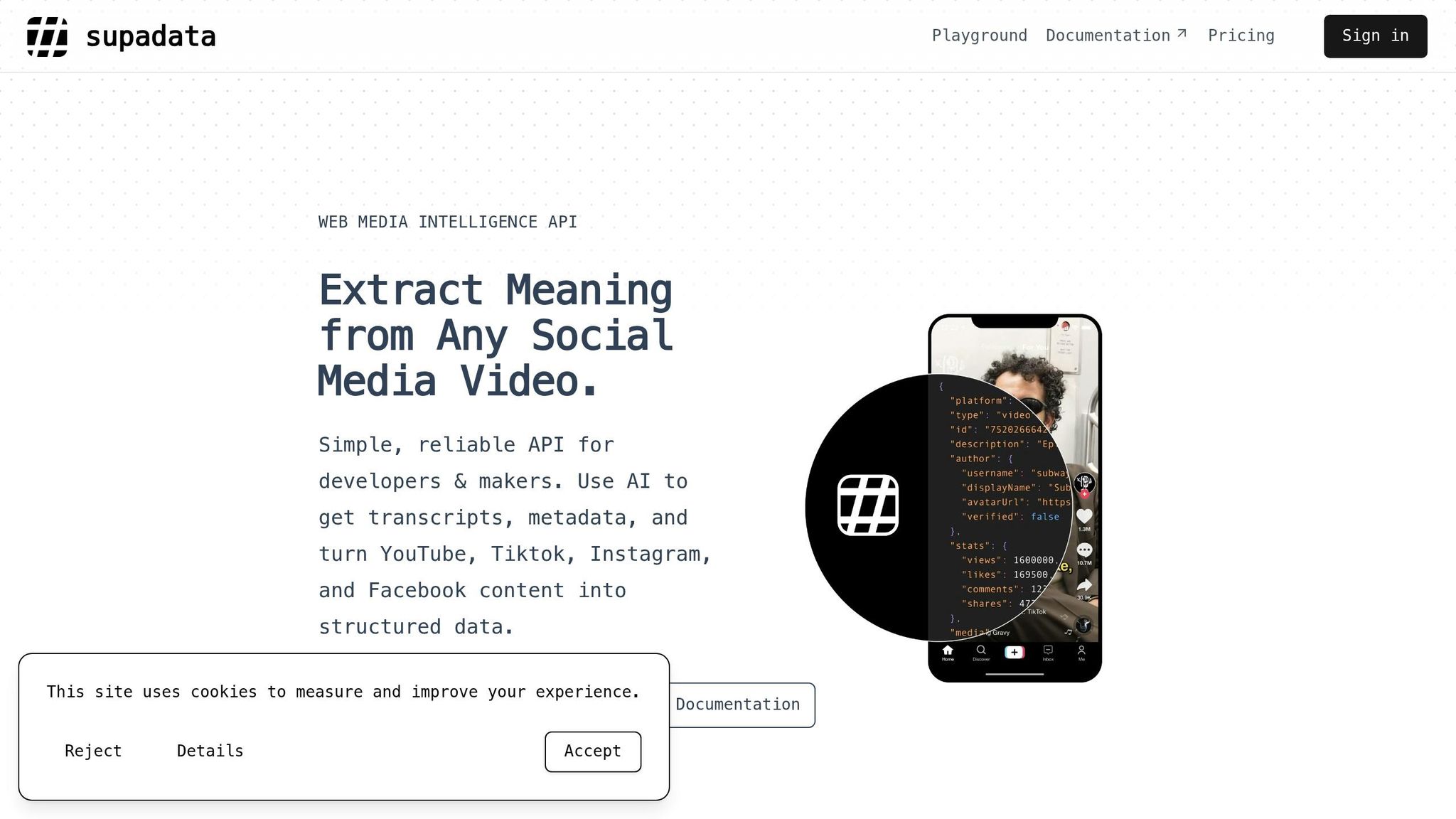
Supadata.ai is a straightforward and affordable option. It pulls transcripts directly from any YouTube video ID without requiring a YouTube API key. If a video doesn’t have built-in captions, the tool steps in with AI-powered ASR (automatic speech recognition) to generate transcripts.
The service offers 100 free credits each month, with paid plans starting at just $0.99 for 1,000 requests. For creators juggling multiple platforms, Supadata streamlines workflows by providing a single endpoint for YouTube, TikTok, and Instagram. Plus, it supports no-code integrations with tools like Zapier, Make, and n8n.
"Finally, an API that just works without the BS" - Sarah Chen, AI Maker
Other API tools also offer unique features that enhance caption automation.
Sonix.ai Auto-Caption API
Sonix.ai combines affordability with professional-grade features. It generates YouTube-ready subtitles in SRT and VTT formats, making it compatible with popular video editing software. Supporting over 100 languages, it also provides detailed data like word-level timestamps. With a 99.9% uptime, Sonix is a dependable choice for handling high-volume projects.
Google Cloud Speech-to-Text API
Google’s API is a powerhouse for video transcription, supporting a wide range of languages and dialects. It produces precise, editable captions that can be exported in YouTube-compatible formats. For creators already using Google Cloud services, this API integrates seamlessly, making it an ideal addition to their toolkit.
AssemblyAI Universal-1 API
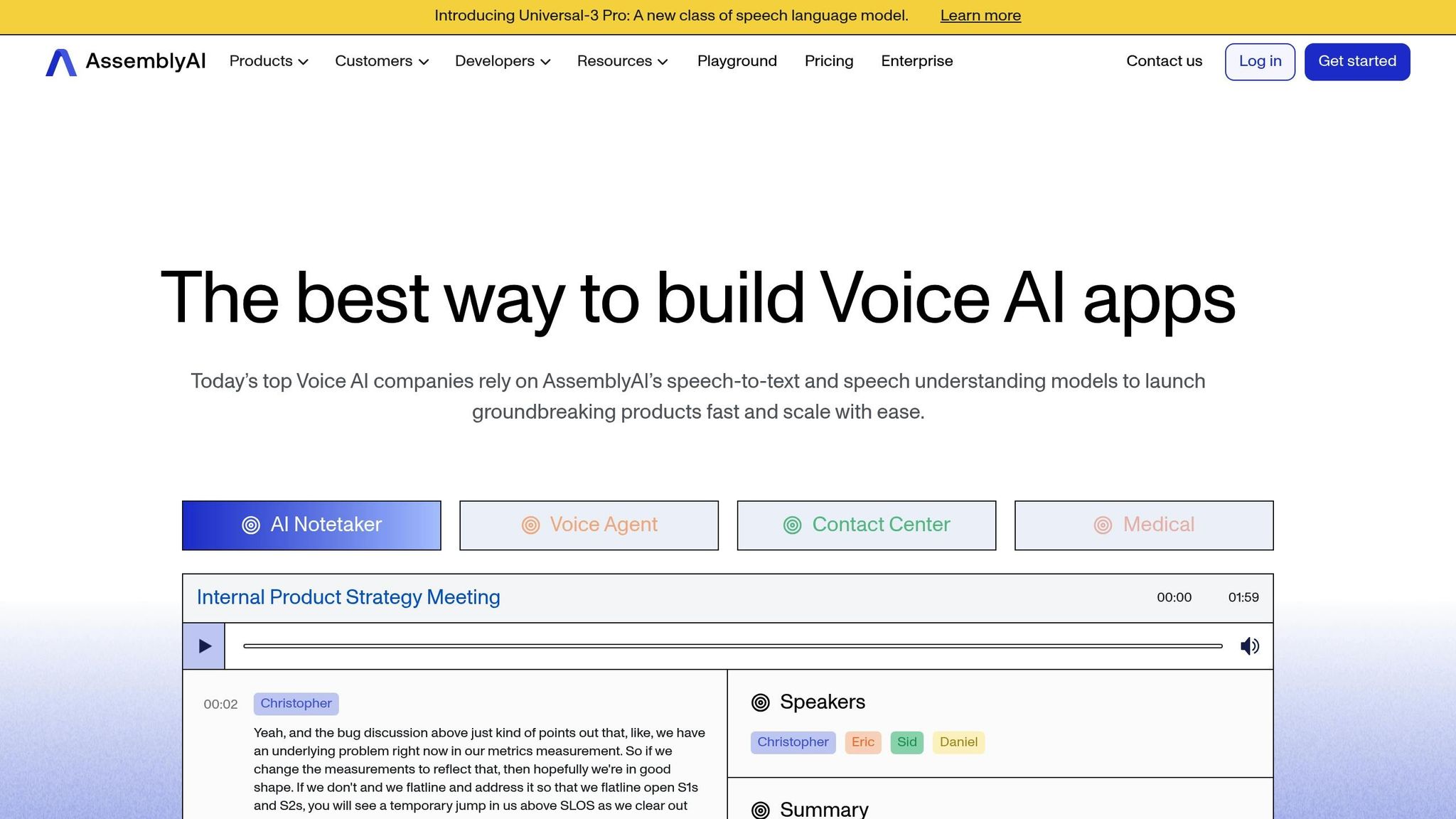
AssemblyAI offers highly accurate transcription with advanced features like speaker identification and custom vocabulary options. It outputs captions in formats like SRT, VTT, and JSON, complete with word-level timestamps. While YouTube’s native captioning system can be slow, AssemblyAI speeds things up with asynchronous processing via webhooks. Native caption retrieval usually takes 5–10 seconds, while full ASR processing ranges from 2 to 20 minutes, depending on the video’s length.
Rev.ai Captioning API
Rev.ai sets itself apart with transcription accuracy on par with human professionals. It delivers SRT captions with over 95% accuracy, meeting the high standards required for education, legal compliance, and accessibility. The API can process up to 100 videos in a single batch request and ensures real-time updates to reflect the latest transcript versions.
Each of these tools brings something different to the table, catering to various needs and budgets, while ensuring smoother captioning workflows for YouTube creators.
API Tool Comparison for YouTube Captions
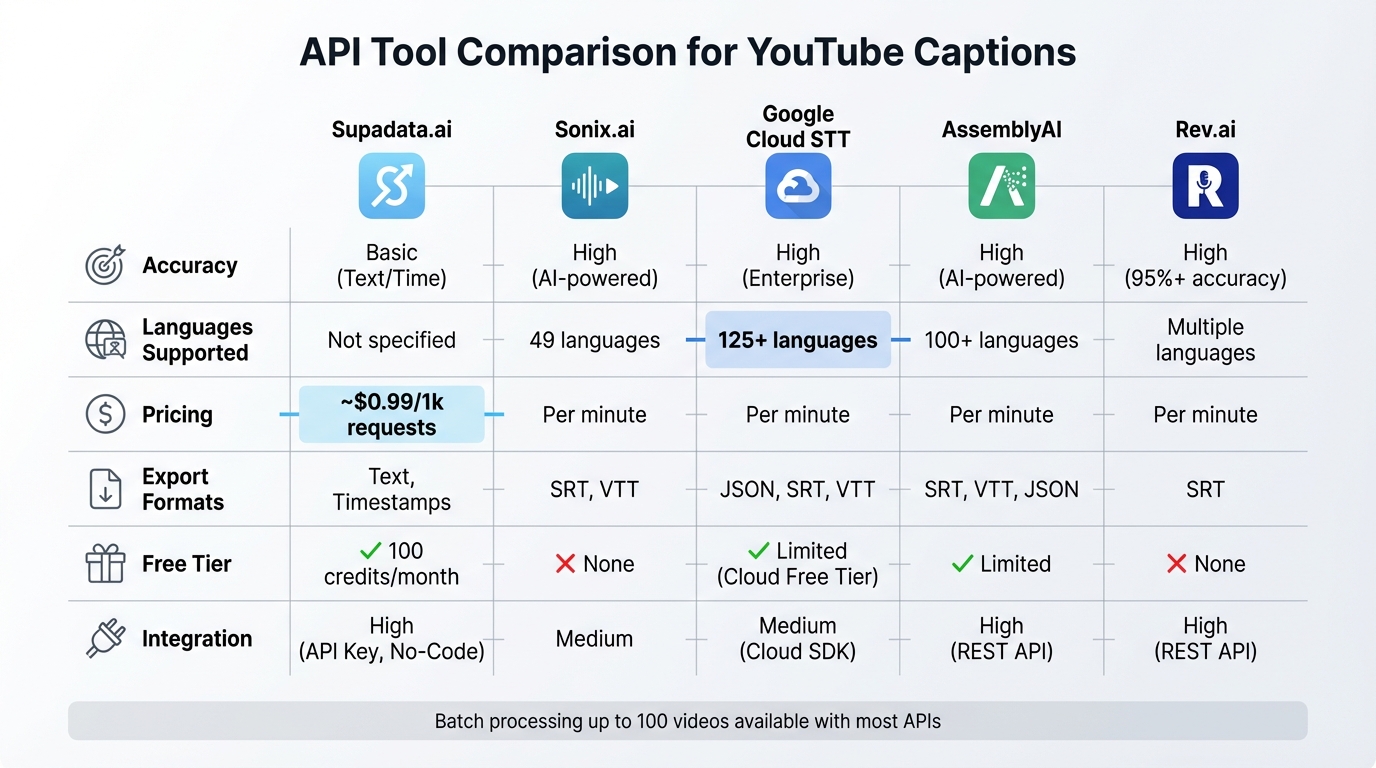
YouTube Caption API Tools Comparison: Features, Pricing & Language Support
Feature Comparison Table
After diving into the advantages of various APIs, this table lays out the key differences between the leading tools. Your choice will depend on what matters most to you - whether that's cost, language options, or how easily the API fits into your existing systems. Here's a side-by-side look:
| Feature | Supadata.ai | Sonix.ai | Google Cloud STT | AssemblyAI | Rev.ai |
|---|---|---|---|---|---|
| Accuracy | Basic (Text/Time) | High (AI-powered) | High (Enterprise) | High (AI-powered) | High |
| Languages | Not specified | 49 languages | 125+ languages | 100+ languages | Multiple |
| Pricing | ~$0.99/1k requests | Per minute | Per minute | Per minute | Per minute |
| Export Formats | Text, Timestamps | SRT, VTT | JSON, SRT, VTT | SRT, VTT, JSON | SRT |
| Free Tier | 100 credits/month | None | Cloud Free Tier | Limited | None |
| Integration | High (API Key, No-Code) | Medium | Medium (Cloud SDK) | High (REST API) | High (REST API) |
This breakdown highlights how each API performs in terms of accuracy, cost, and integration simplicity. Pricing models and language coverage vary significantly. For instance, Google Cloud Speech-to-Text shines with its support for over 125 languages and dialects, making it a go-to choice for users targeting a global audience.
Supadata.ai and AssemblyAI simplify integration by relying on API keys, avoiding the need for complex OAuth setups. This feature is especially helpful if you're managing a high volume of videos weekly.
When it comes to batch processing, AssemblyAI takes the lead with its asynchronous webhook system, designed to speed up workflows for large-scale projects.
How to Add API Captions to Your YouTube Workflow
Uploading Caption Files to YouTube
Once you've created an SRT or VTT file, you can add captions to YouTube either manually through YouTube Studio or by using the YouTube Data API. For manual uploads, open YouTube Studio, select the video you want, go to the "Subtitles" section, and drag your caption file into the upload area. This works well for smaller projects but becomes time-consuming for larger batches.
For automated uploads, the YouTube Data API's captions.insert method is a better option. You'll need the videoId, a BCP-47 language tag (like en-US), and a name for the caption track. Make sure your file is under 100MB and uses an accepted MIME type, such as text/xml or application/octet-stream. Use the isDraft parameter to upload captions in draft mode, allowing you to review them in YouTube Studio before publishing.
Keep in mind, YouTube removed the sync parameter as of March 13, 2024. This means your SRT or VTT files must include precise timecodes because YouTube no longer aligns text to audio automatically during uploads.
Manual uploads are fine for occasional updates, but for managing large video collections, automated methods are far more efficient and scalable.
Captioning Multiple Videos at Scale
When dealing with a large number of videos, batch processing through APIs can simplify your workflow. Batch endpoints allow you to process up to 100 video IDs at once and provide asynchronous handling through a webhook_url. By using a webhook, you can have completed caption data sent directly to your server once the processing is finished.
For enterprise-level workflows, Google Cloud Speech-to-Text offers a convenient solution by saving batch outputs directly to Cloud Storage in formats like SRT, VTT, and JSON. Many APIs also include automatic fallback to ASR (Automatic Speech Recognition) when manual captions aren't available, ensuring every video gets a transcript. Native caption extraction typically takes 5–10 seconds per video, while ASR processing times can vary from 2 to 20 minutes depending on the video length and tool used.
Conclusion
API tools are changing the game for YouTube captioning, offering incredible speed and efficiency. Imagine processing an hour of video in less than 5 minutes - that’s the kind of time-saving power these tools bring to the table. For creators juggling dozens (or even hundreds) of videos each month, this isn’t just a perk - it’s a necessity for keeping up with demand and staying competitive.
But it’s not just about speed. These tools deliver an impressive combination of precision and versatility. With accuracy rates reaching up to 99% for clear audio and support for over 53 languages, they make videos accessible to a wide range of viewers. Whether it’s for deaf or hard-of-hearing audiences, international fans, or people watching on mute, these solutions ensure no one is left out. Plus, batch processing can handle up to 100 videos at once, and no-code integration makes the process seamless.
And here’s the kicker: they’re budget-friendly. Entry-level plans start as low as $10.00 per 1,000 transcripts, and some providers even offer free tiers. As Marina B. from San Francisco shared:
"Sonix can generate a transcript and it has cut my workload by half".
The benefits go beyond just saving time. These tools help creators improve accessibility and scale their production, offering a clear return on investment. Features like extracting native captions in seconds or using ASR fallbacks ensure professional results, while flexible output formats allow creators to repurpose transcripts into blogs, social media posts, or newsletters - getting more mileage out of every video.
For creators focused on growth, automated captioning is no longer optional. It’s the backbone of reaching broader audiences, meeting accessibility requirements, and consistently producing content that drives revenue. In short, these APIs are a must-have for anyone serious about scaling their channel efficiently and effectively.
FAQs
Which API is best for my channel’s volume and budget?
For channels handling large volumes of content on a tight budget, the YouTube Data API provides basic tools for caption management. However, it involves more manual effort to set up and maintain. If automation and batch processing are priorities, the Apify YouTube Transcript API is a strong option. It supports various export formats and is priced at $10 per 1,000 transcripts.
Another option is LongStories.ai, which focuses on scalable automation. It offers features like reusable universes and bulk editing, making it a great fit for creators managing extensive content libraries. Plans start at just $9/month.
How do I ensure my captions stay accurate without YouTube auto-sync?
To ensure your captions are precise without relying on YouTube's auto-sync, you can manually create and upload files like .SRT or .VTT. Alternatively, consider using third-party tools known for their high accuracy. Platforms such as VEED, Revid AI, and Kapwing offer AI-powered solutions that can generate and edit captions with up to 99% accuracy. These tools give you complete control over the quality, helping you sidestep the limitations of YouTube's auto-sync feature.
What’s the easiest way to batch-caption and upload 100 videos?
For handling a large number of videos efficiently, consider using an API tool designed for bulk processing, such as the YouTube Transcript API or similar services. Here's how it works:
- Get API Access: Start by obtaining access to the API. This usually involves signing up for the service and acquiring an API key.
- Prepare Video List: Compile a list of your video URLs or IDs that you want to process.
- Use the Batch Endpoint: Leverage the batch API endpoint to process up to 100 videos simultaneously.
This method automates tasks like captioning and uploading, making it a perfect solution for managing high-volume workflows with minimal manual effort.
Related posts
LongStories is constantly evolving as it finds its product-market fit. Features, pricing, and offerings are continuously being refined and updated. The information in this blog post reflects our understanding at the time of writing. Please always check LongStories.ai for the latest information about our products, features, and pricing, or contact us directly for the most current details.